One app for each job, and you choose which.
Each app does one piece of clinic admin properly, on the same contacts, roster, letterhead and audit trail. Add the ones you need. 10% off every app with 2 or 3 paid apps, 20% off every app with 4 or more.
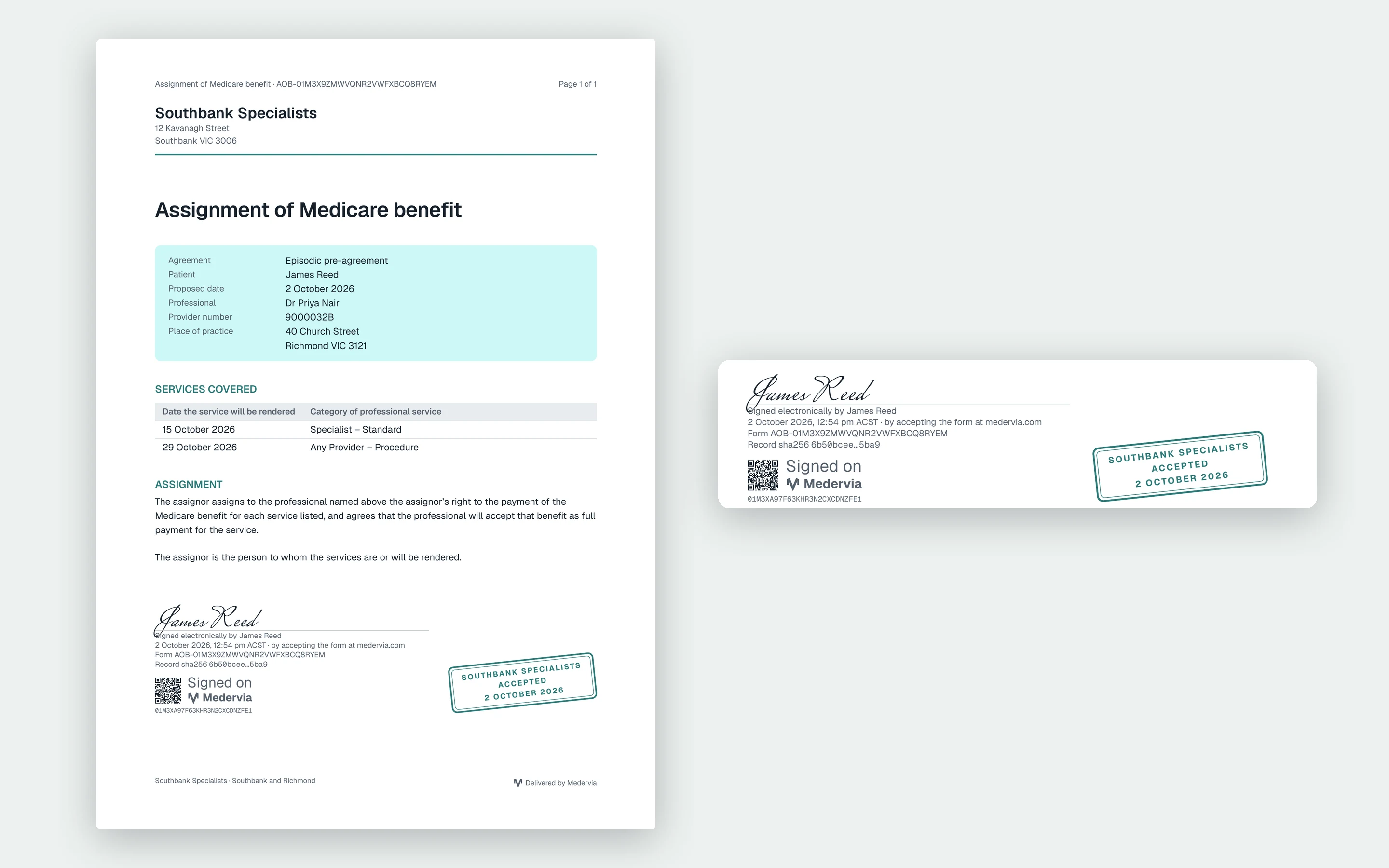
Assignment of Benefit
Send each patient their assignment of benefit agreement, record their acceptance, and keep the PDF.
From 1 July 2026 a bulk-billed service needs the patient's assignment of benefit in writing or electronically, and the verbal concession most practices lean on ends on 30 June 2027. Assignment of Benefit replaces the paper form with an agreement the patient reads and accepts on their own phone, and a record the clinic can find when someone asks.
Choose a practitioner and location from your roster, the patient from your contacts, and the services with their dates. The provider number, practice address and the details a valid agreement must carry fill in from what you already have, and the agreement cannot be sent while anything required is missing.
- Checked for the details each service kind requires
- One patient or a whole batch, before or after the service
- Patients read and accept on any device, with no password
- A PDF in your letterhead to the patient and the clinic
- Live status and notifications; the patient is never chased
- Kept for its retention period, then destroyed on a register
Form Builder
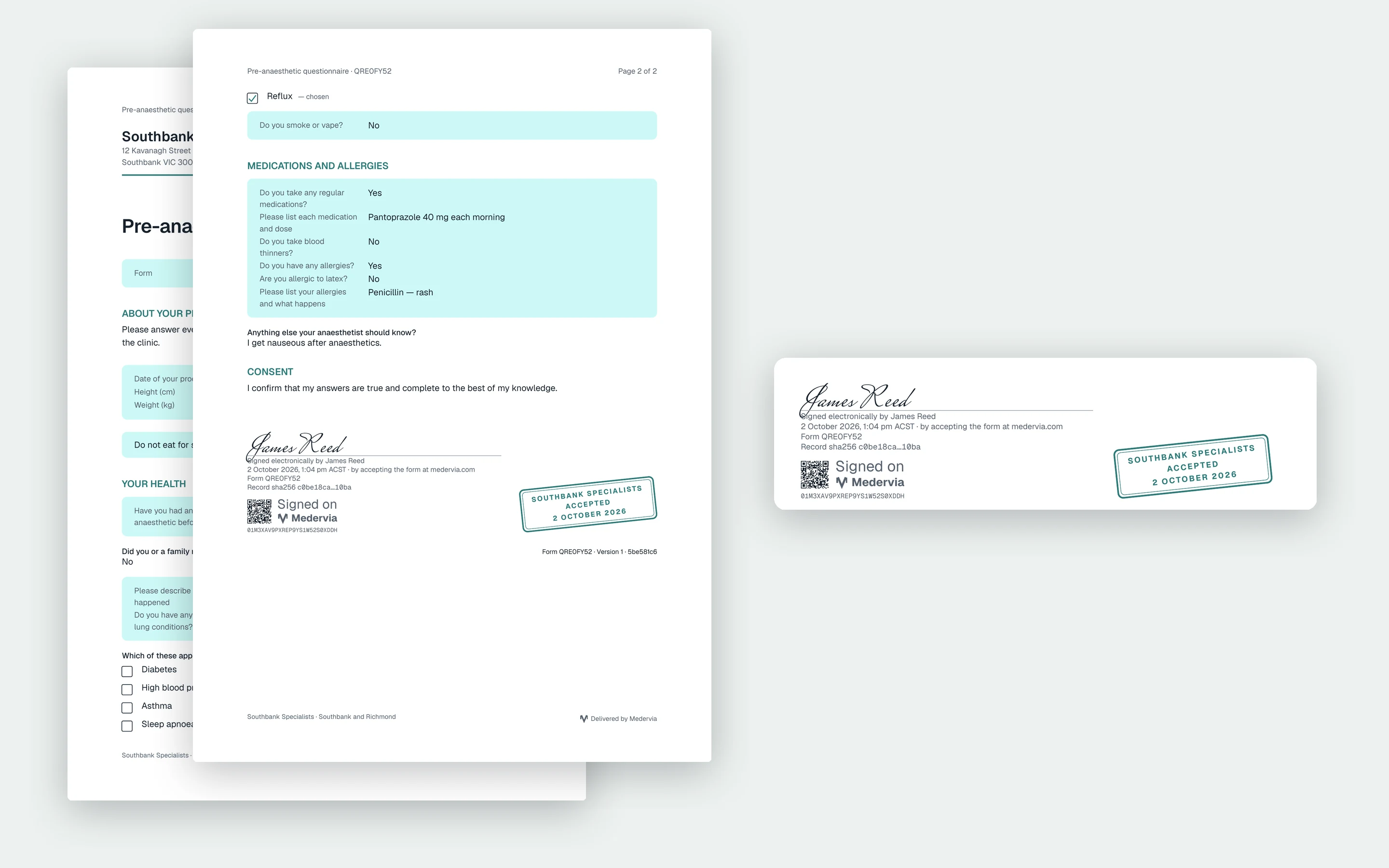
Build your clinic's own forms, send them to a patient or a colleague, and get the answers back as a PDF.
Admission forms, health questionnaires, consents, registrations and referrals: build them once, in your clinic's own words, and stop retyping answers from clipboards and scanned PDFs.
The editor shows the form exactly as the person filling it in will see it. Add yes or no questions, choices, short and long answers, dates, times, numbers, email and phone, with headings and notes in between. A question or a whole section can appear only when an earlier answer calls for it. Paste in a form you already have and it becomes questions, or start from one of Medervia's templates.
- An editor that shows the form as the recipient will see it
- Questions that appear only when an earlier answer needs them
- Paste in an existing form, or start from a Medervia template
- Answers save as they go; long forms become steps
- Submitted or signed, a PDF in your letterhead for both sides
- New patients' details offered to your contacts as drafts
Gender Reveal
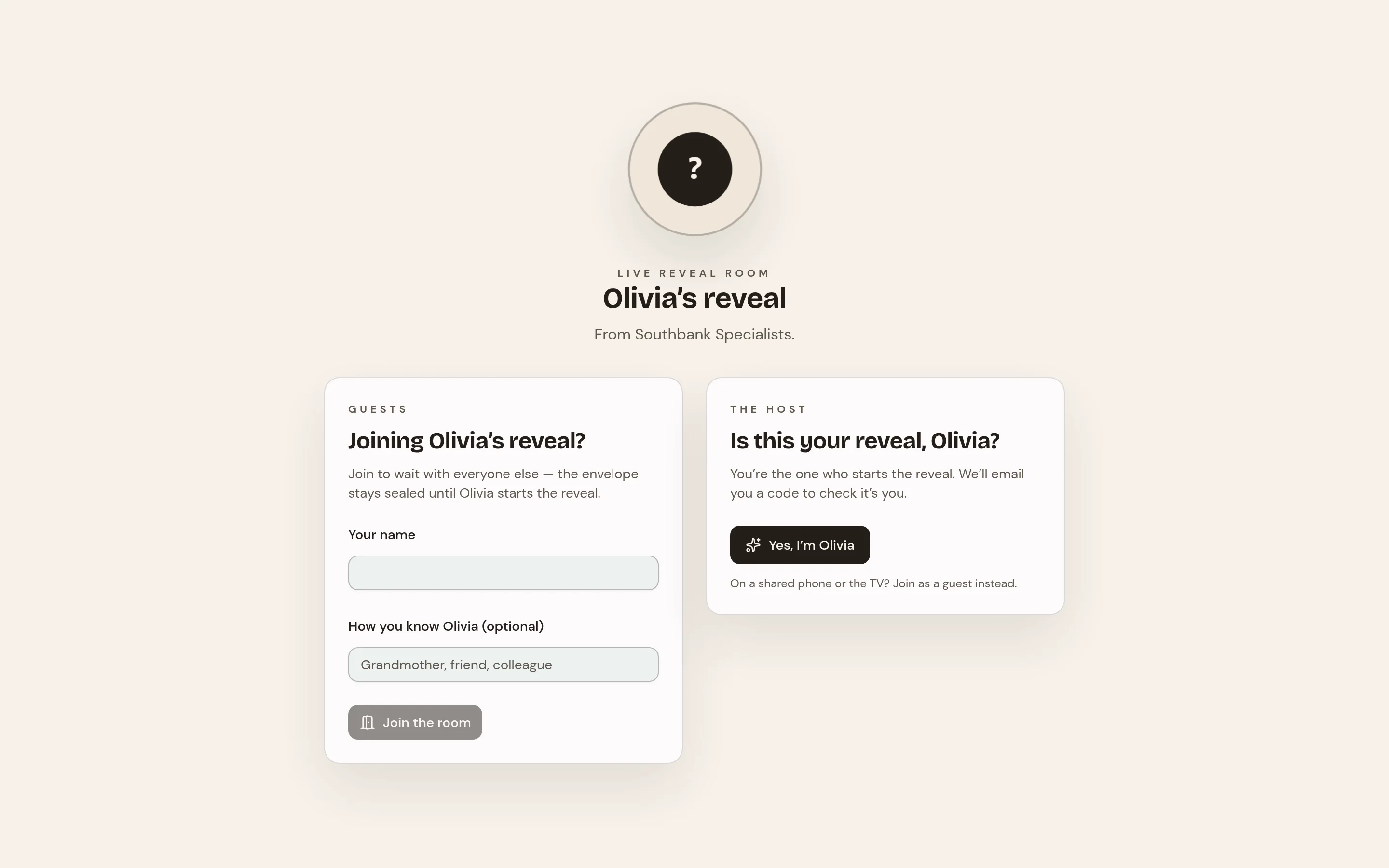
A scheduled moment for parents who want to learn the sex together, with every screen revealing at once.
Some parents want to learn the result of their scan together, with family gathered in the room and on phones across the country. Gender Reveal turns the finding from your practice into that moment, with your clinic's name on it.
After the scan, the finding is entered twice to confirm it, the method and date are recorded, and a look is chosen for the room. One email goes to the patient, inviting her to forward it to whoever she wants there. It carries no answer and no sign-in, so forwarding it gives nothing away.
- One result, entered twice, sealed until the patient starts
- Guests join by link or QR code, with no account or app
- Every screen counts down and reveals at the same instant
- A keepsake certificate with your clinic's name
- No reminders, ever; cancelling asks no reason
- Answer and keepsake deleted 30 days after the reveal
Handbook
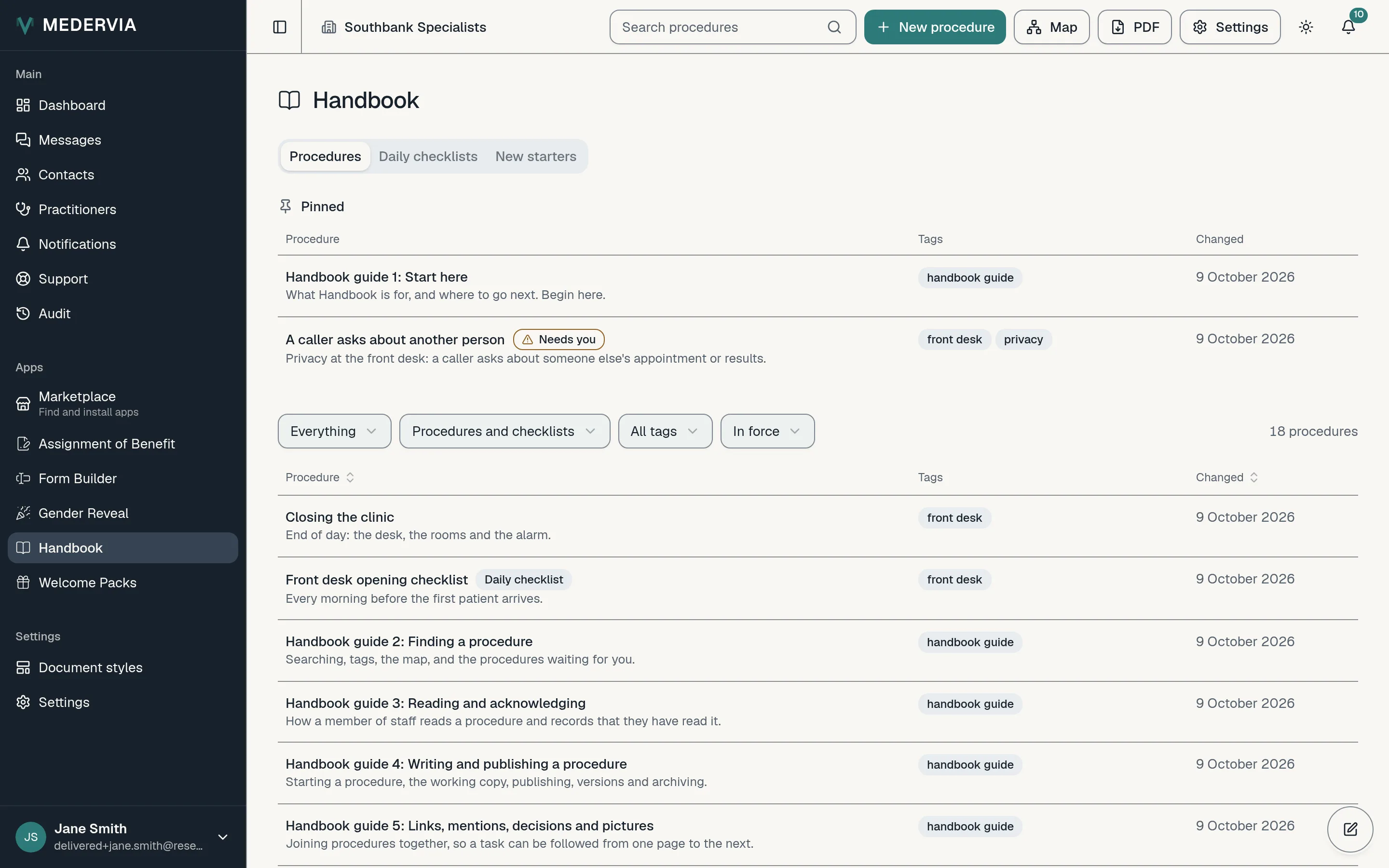
Your clinic's procedures written down, linked together, and read by the people who need them.
How to take a payment by phone, what to do when a patient cannot pay, who to call when the steriliser alarms: most clinics keep this in senior staff's heads. Handbook lets you write it down once, so a new starter can answer "what do I do now?" without finding a colleague.
Write each procedure with headings, lists and links. Point to other procedures as you write, mention the colleague to ask, and add a decision wherever staff meet a situation with more than one answer: each branch leads to another procedure, a person, or simply carry on. Add photos of the equipment where words are not enough. Search finds a procedure by any word in it, and the map shows what each one leads to and what leads to it.
- Procedures written once, found by search
- Decisions with branches to procedures and people, and a map of the links
- Ask staff to read and acknowledge, with gentle reminders
- New starters asked the day they join
- Daily checklists, ticked off on the days you choose
- The whole handbook as one PDF, and Markdown to take away
Rooms
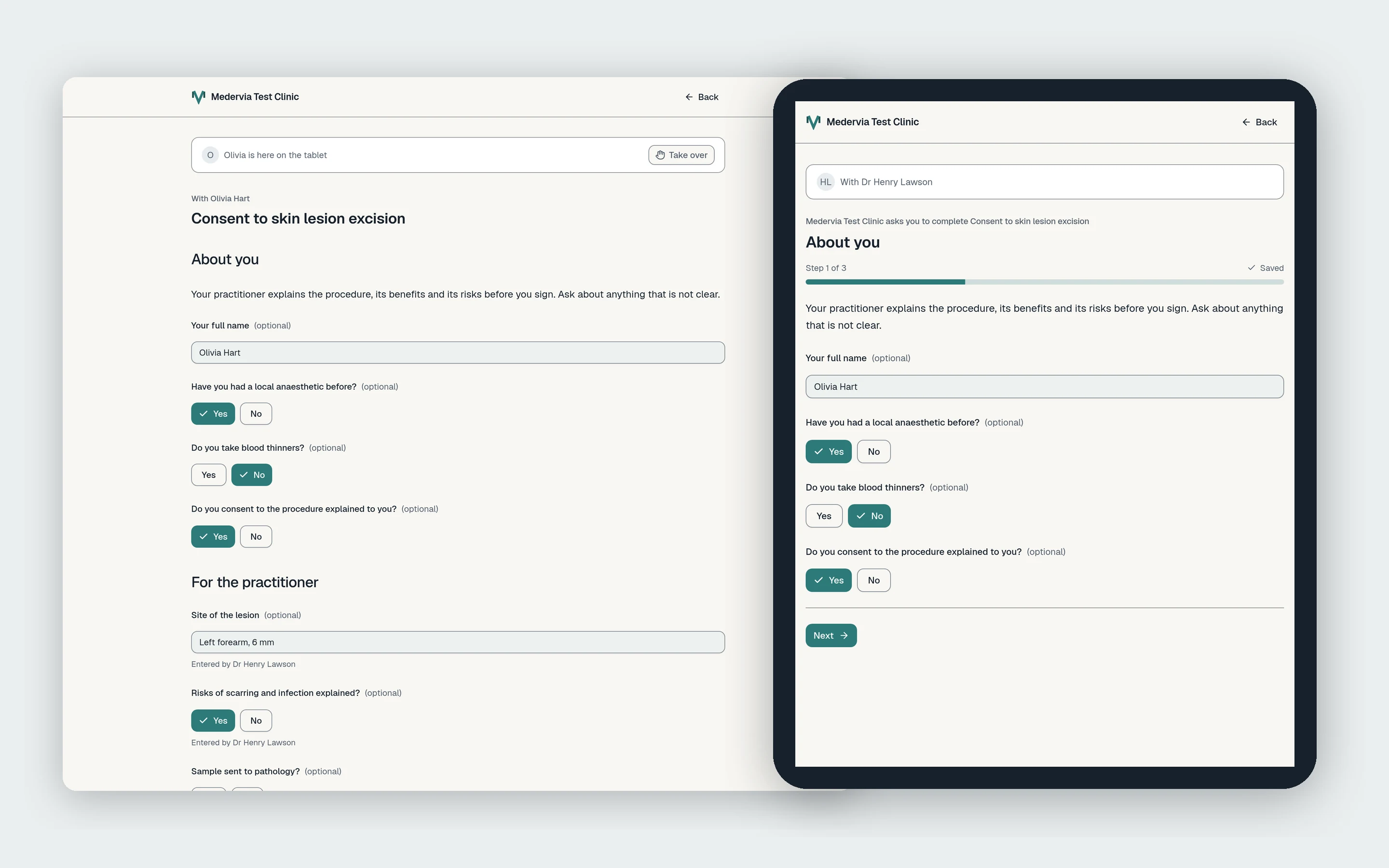
Your clinic's rooms on a floor plan, who is in each one, and forms a patient completes in the room, on its tablet or with you.
Patients wait, move between rooms and fill in forms on clipboards that someone types up later. Rooms shows every room at each of your locations, who is in each one, and lets you hand a patient the forms and agreements to complete where they are sitting.
Each location starts with a Waiting room, and owners and admins add the rest, named as your clinic calls them. Drag colleagues and practitioners between rooms on the floor plan, and bring in patients and their carers from your patient list and address book. A person is in one room at a time. Every room has its own chat with the people in it, and a record shared to a room waits there as a card.
- Every room at each location, on a floor plan
- Colleagues, practitioners, patients and carers, one room each
- Forms and agreements handed out to complete in the room
- A paired tablet that shows only what its room was handed today
- Practitioner and patient fill in the same form together, live
- Signed PDFs record the room, the time and who was there
SMS
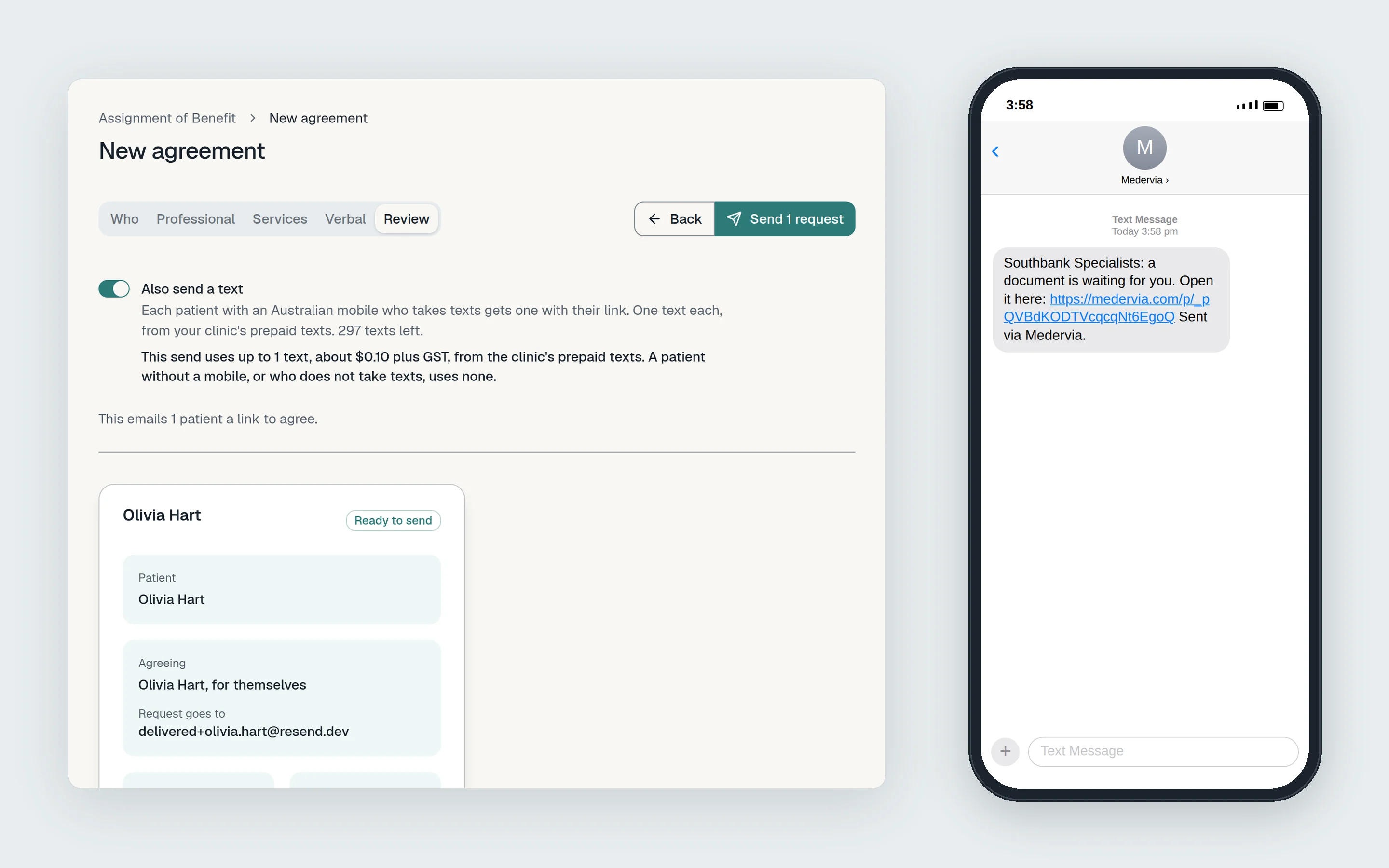
A text as well as the email, so the link reaches a patient whose inbox goes unread.
Send a patient a text with their link as well as the email, from every place that sends one: agreements, forms, reveals, portal links and welcome packs.
The text names your clinic and links to Medervia. It never names the patient, the practitioner or what is waiting.
- A text as well as the email
- Prepaid packs that never expire
- Charged close to cost
$5a month
plus GST
Welcome Packs
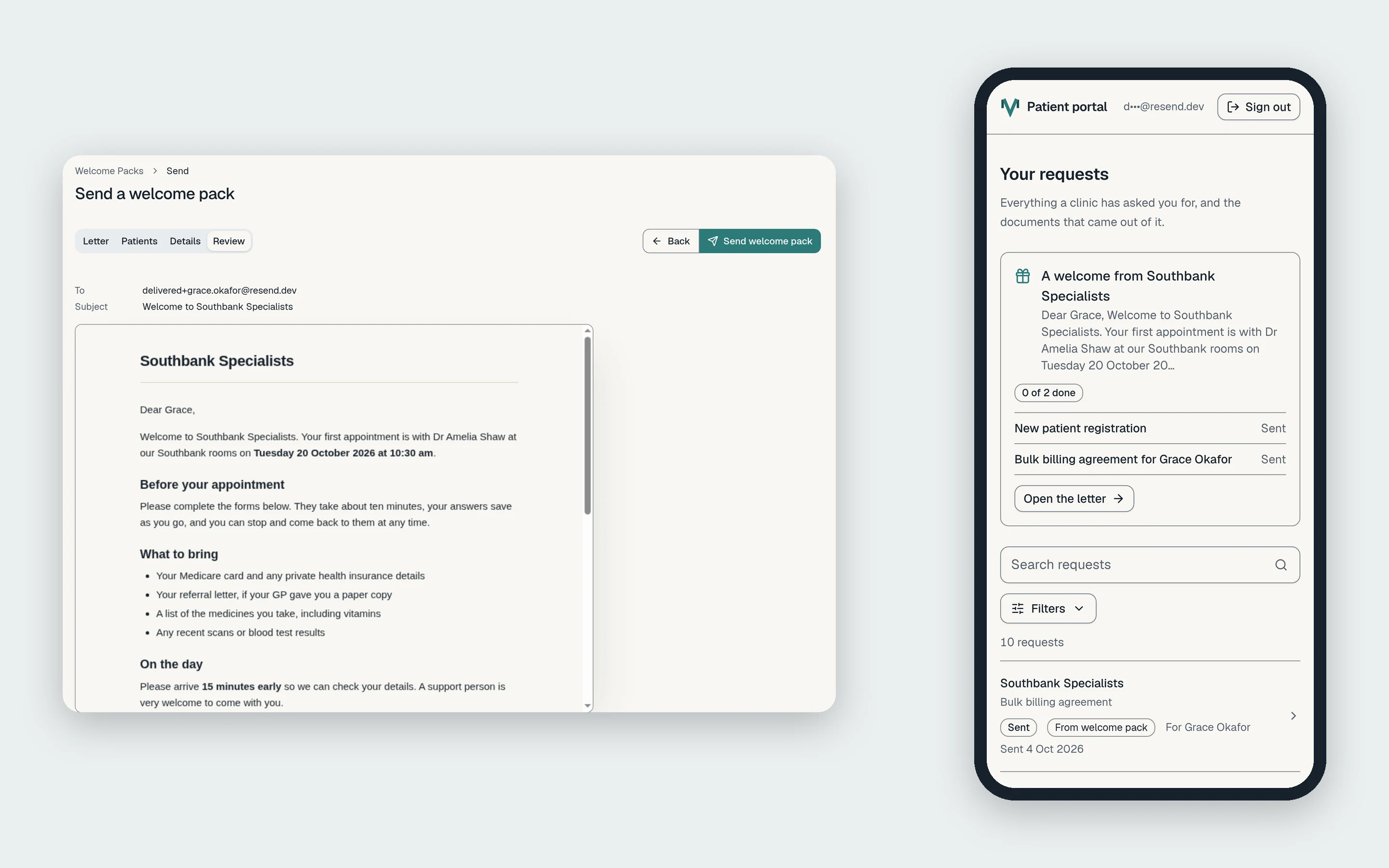
One email for each new patient: your letter, filled in with their appointment, and every form and agreement to complete before they come.
Before a new patient's first visit there is usually a letter to send, a form or two to fill in and a bulk billing agreement to sign. Welcome Packs puts all of it in one email from your clinic, with one link to everything.
Write the letter in your clinic's own words, with headings, lists and links, and mark where each patient's name, appointment, practitioner and location go. Save it as a template with the items that go with it, and every new patient starts from there.
- One email and one link for everything before the first visit
- Your letter, filled in for each patient
- Templates with the forms and agreements that go with them
- The appointment fills in the agreement's date of service
- See exactly what each patient receives before you send
- Every pack's progress, item by item
Every app, the same two promises.
Start from the patient
Every app can be started from a patient's record or from your contacts list, with several patients ticked at once where the app sends to many. Whatever an app produces for a patient is gathered on that patient's record.
Your records stay if you stop
Cancel an app and nothing it produced is lost. Its records and documents stay with your clinic and on each patient's record, and your patients keep their copies. Only sending new ones stops.
Coming next: Theatre Lists.
Prepare a theatre list once, and send each hospital, anaesthetist and ward only the cases and details that are theirs. Tell us if your clinic would use it.