Guides · Handbook
Ask staff to read and acknowledge a procedure
Choose who must read a procedure, see who has, and follow up without chasing anyone yourself.
Owners and admins choose who must acknowledge. Each person acknowledges for themselves.
A procedure nobody is asked about is simply there to read when needed. For the ones that matter, ask everyone or named people to read it and acknowledge that they have, and Handbook does the reminding.
Choose who must read it
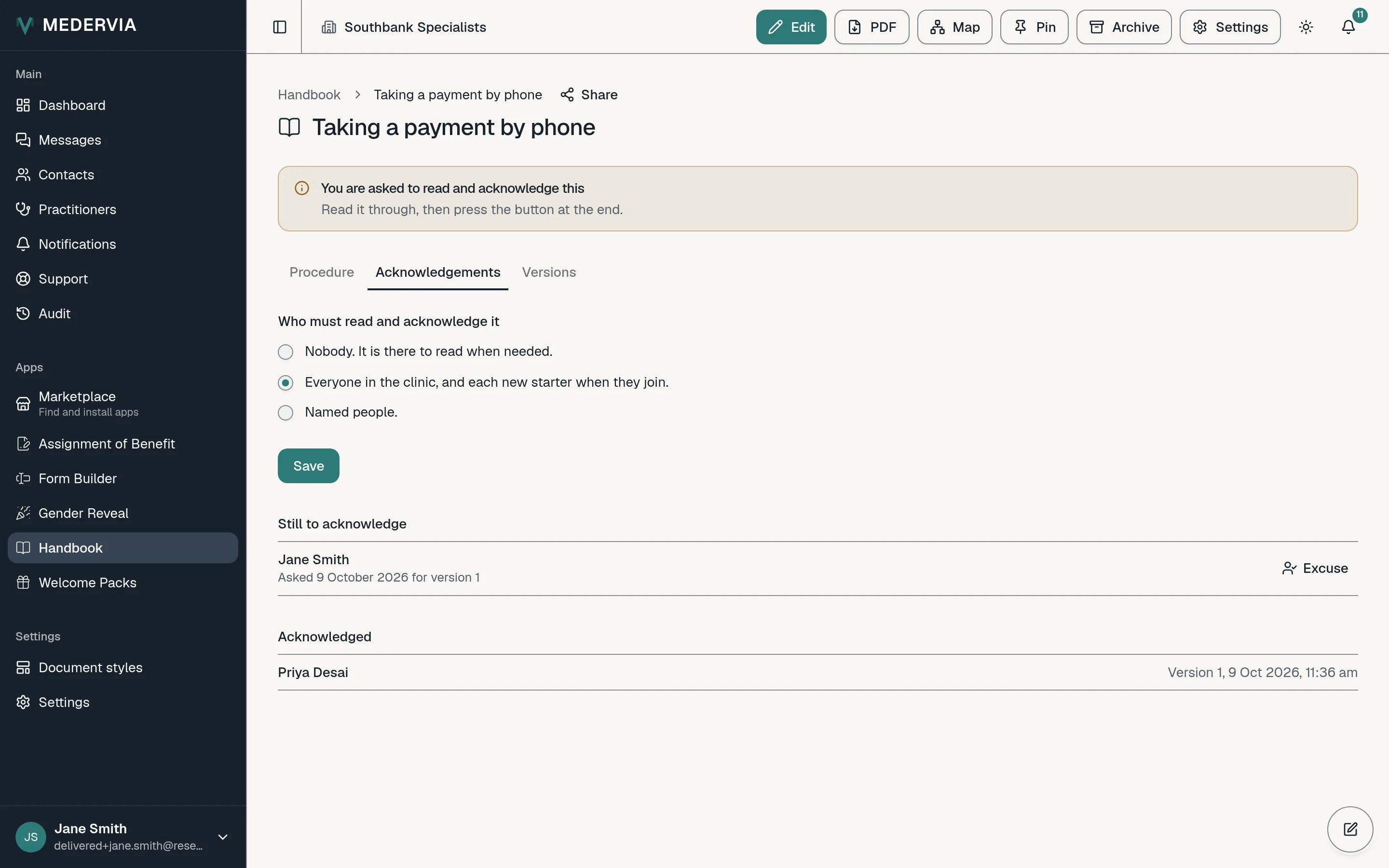
Open the procedure and its Acknowledgements tab. Under Who must read and acknowledge it, choose Nobody, Everyone in the clinic (each new starter is asked too, when they join), or Named people, then press Save. Each person asked gets a notification straight away.
What each person does
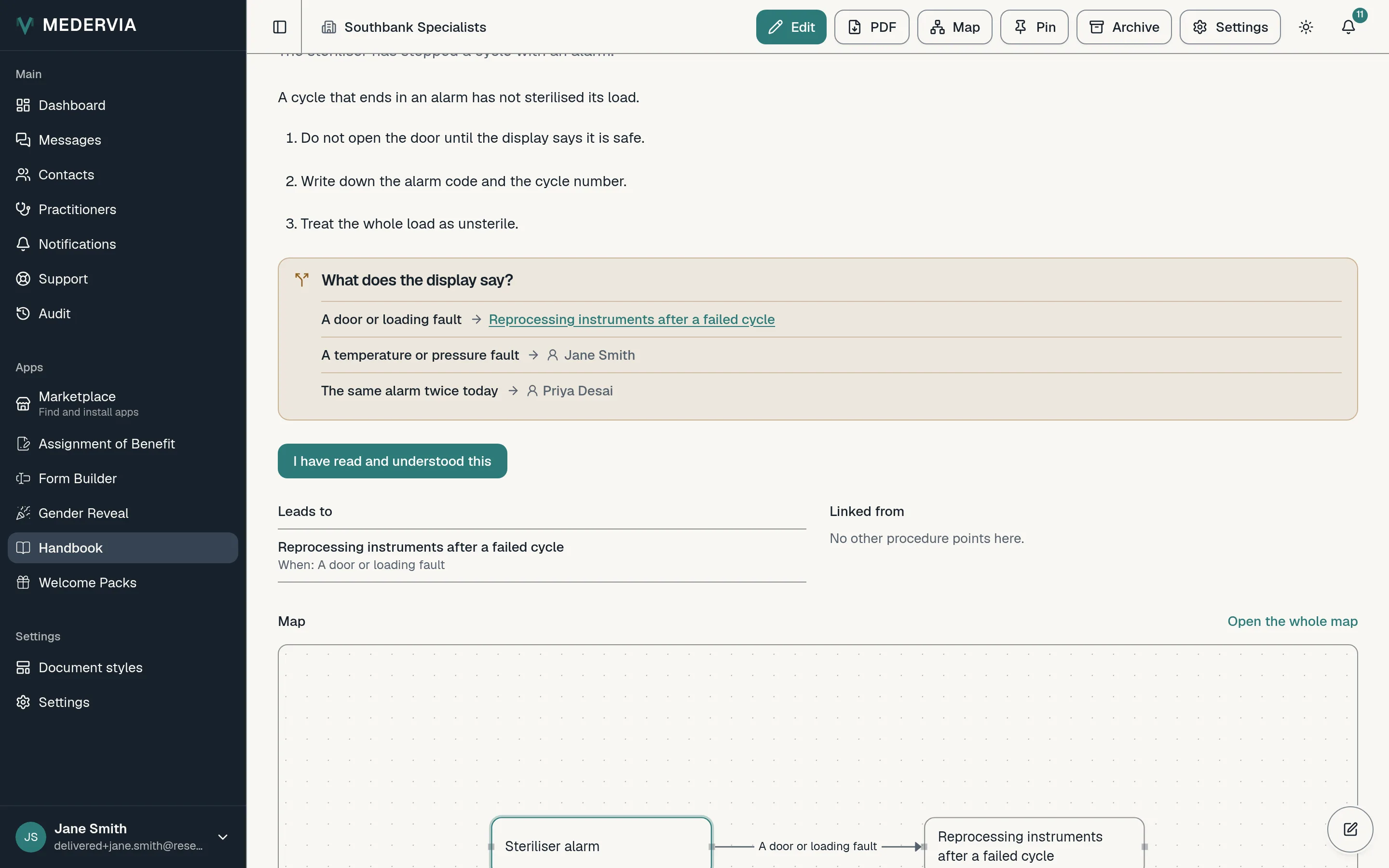
The procedure is marked Needs you in their list and counted on the dashboard under For you to acknowledge. When they open it, it says You are asked to read and acknowledge this at the top. They read it through and press I have read and understood this at the end.
Their acknowledgement names the version they read. Nobody can acknowledge on someone else's behalf.
In the settings, Ask people to reach the end before they acknowledge makes the button wait until the end of the procedure has been on the screen.
Follow up
The Acknowledgements tab shows who has acknowledged which version under Acknowledged, and who is still to under Still to acknowledge. People are reminded on the second, fifth and ninth day, then weekly, up to the number set under Reminders before owners and admins are told.
When the reminders run out, owners and admins get one notification with how many people are still to acknowledge, and the New starters tab shows who.
Excuse someone
Beside a name under Still to acknowledge, press Excuse and give a reason, such as *On leave until March*. They are not asked again for that version, and the reason is kept with the request.
Good to know
- Someone who leaves the clinic is taken out of every rule, and their open requests close. Their acknowledgements are kept for the number of years set under Keep acknowledgements after someone leaves (years), then destroyed with an entry on the destruction register.
- Reminders come in Medervia and, where a person has allowed it, as a notification on their device. They never come by email.
- For new starters there is a quicker way than asking procedure by procedure: the starter pack.
Next
Still stuck? Open a ticket from Support in the app, or send us a message.