Guides · Handbook
Write and publish a procedure
Write down how your clinic does one thing, link it to the procedures around it, and publish it for the team to read.
Owners, admins and Handbook editors write and publish. Everyone in the clinic reads.
A procedure is a page of numbered steps: taking a payment by phone, what to do when the fridge alarm goes off. Your work saves as you type and is seen only by Handbook editors until you publish it.
Start it
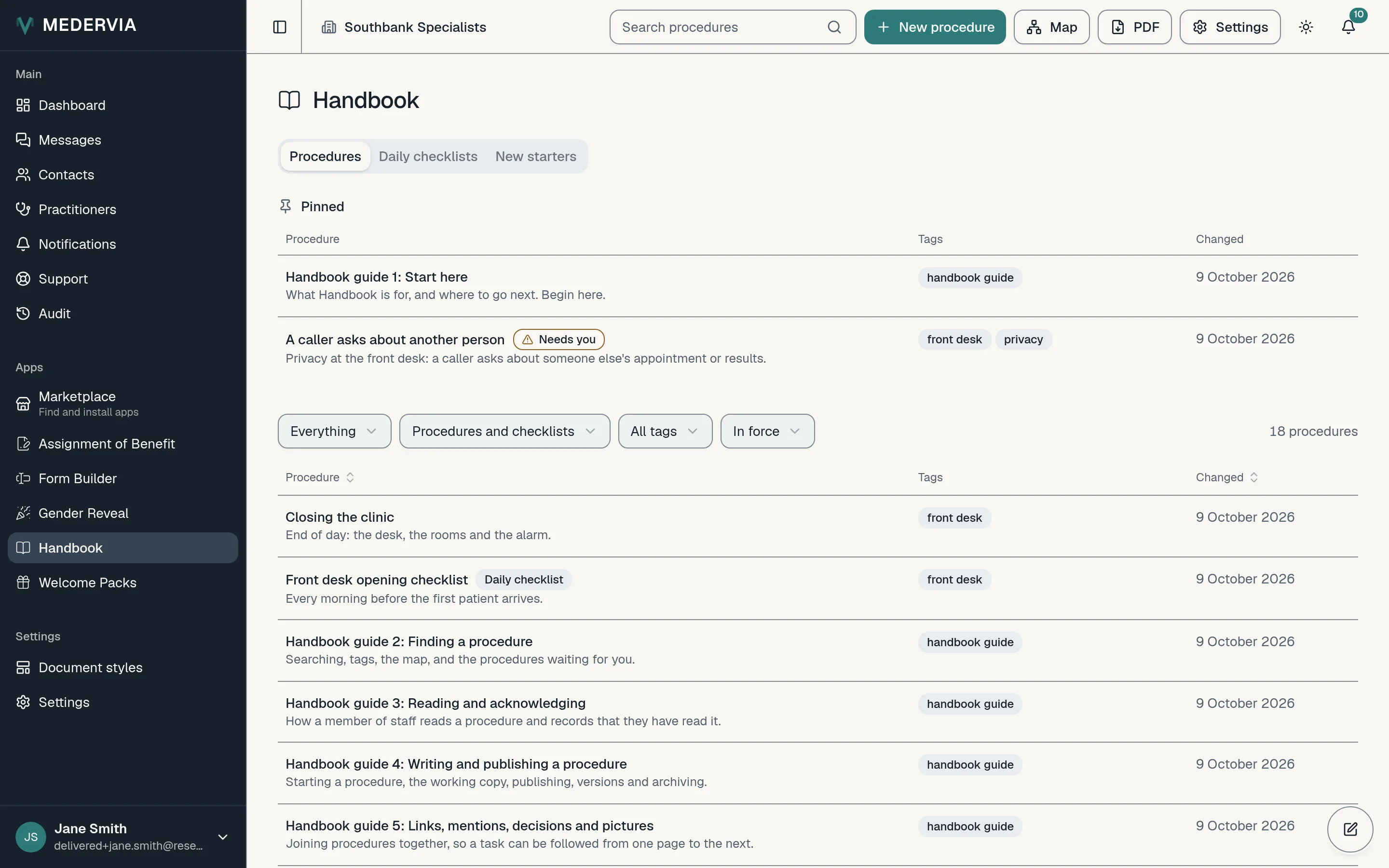
Open Handbook and press New procedure at the top. Under What it is, keep Procedure, give it a Title such as *Taking a payment by phone*, a Summary of one or two lines on when it applies, and a few Tags separated by commas. Press Create and write it.
Write the steps
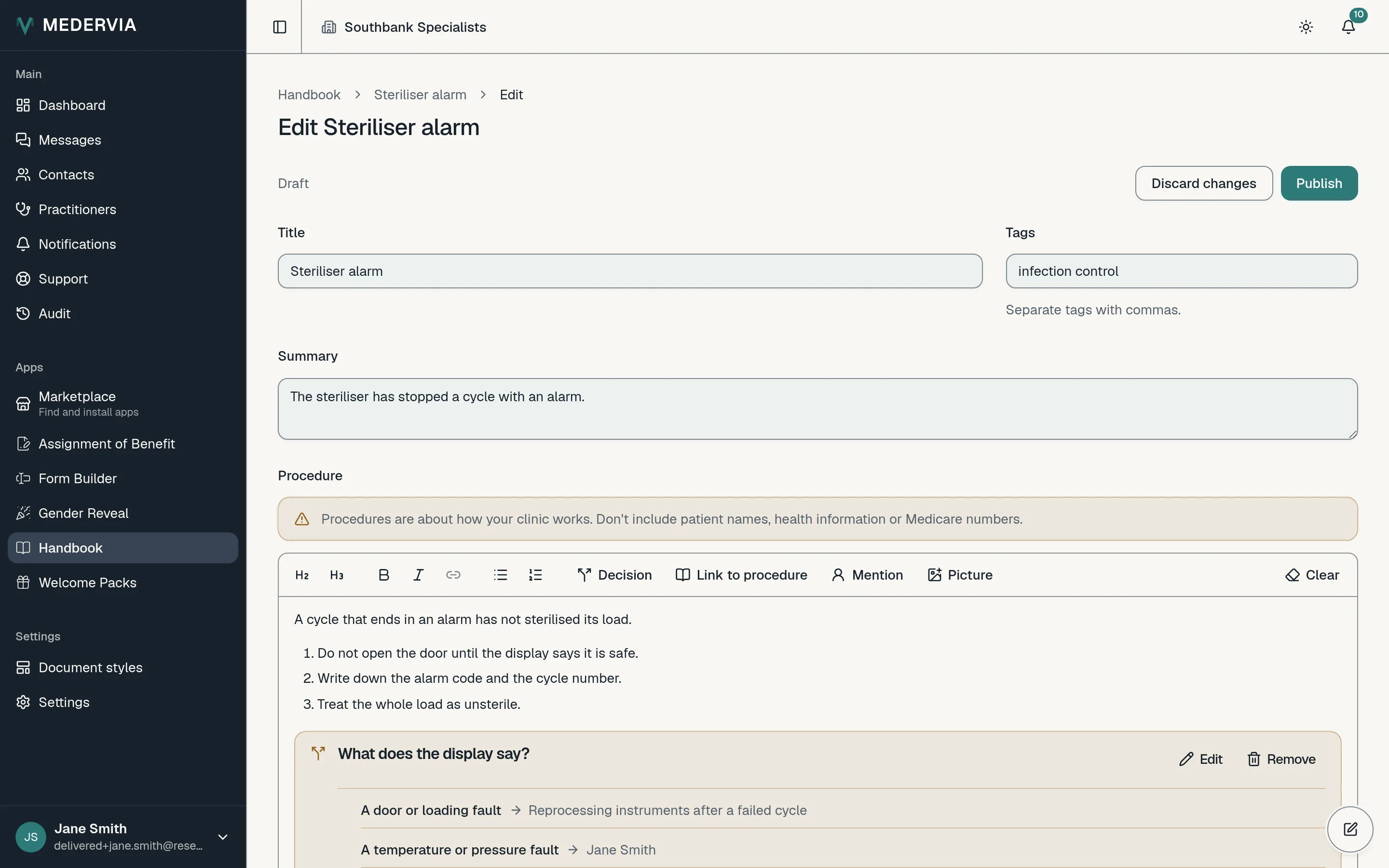
Write the steps as a numbered list, and use headings to break a long procedure into parts. The editor saves as you type; the status beside the title says when it last did.
Never put a patient's details in a procedure. Everyone in the clinic reads them.
Link, mention, decide, show
Press Link to procedure and choose another procedure: the link always shows its current title. Press Mention to name a colleague or someone from the address book, such as the electrician; a mention is a name, not a message, and nobody is notified.
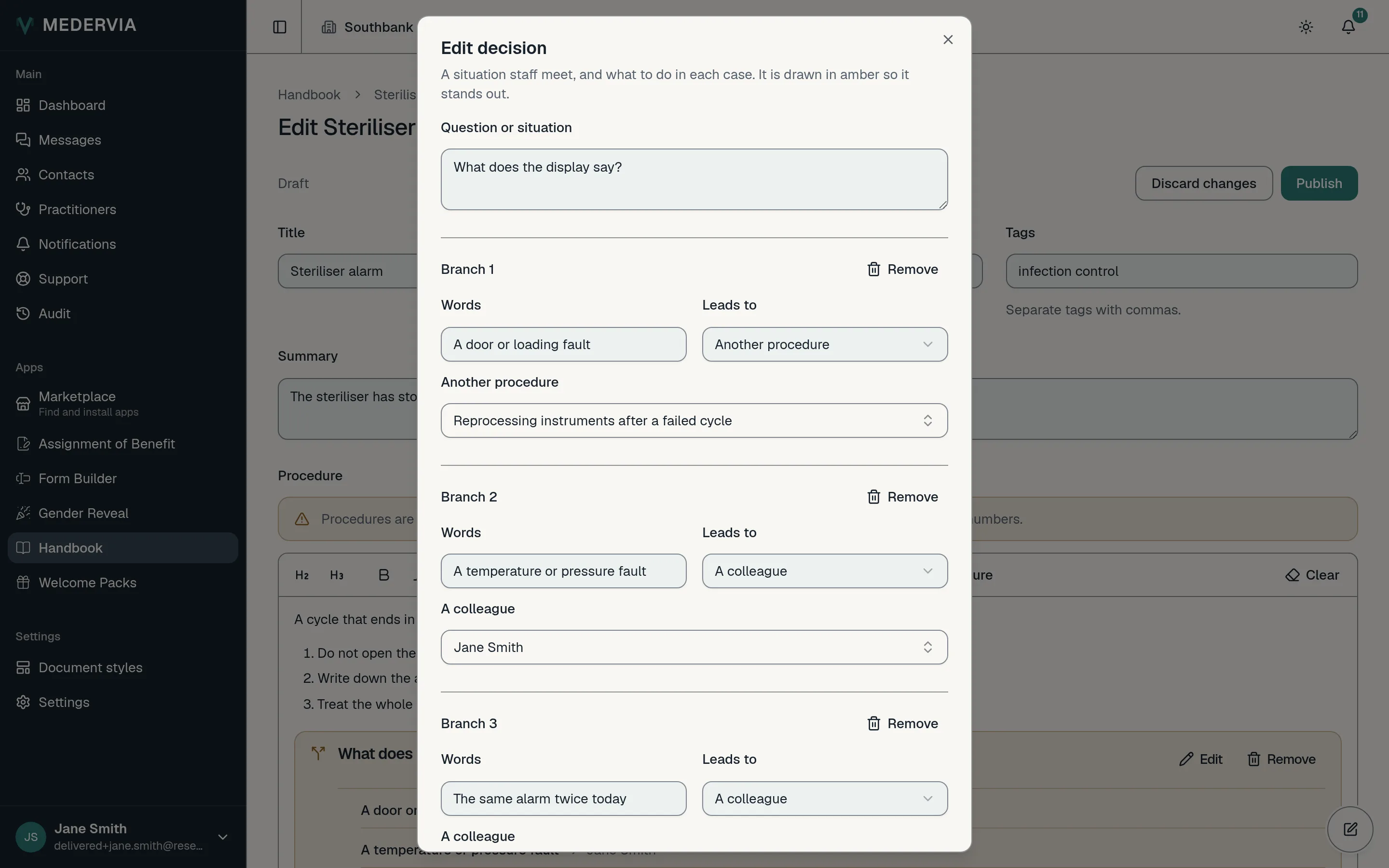
Press Decision where staff meet a situation with more than one answer. Write the question, such as *If the patient refuses to pay:*, and up to four answers, each leading to a procedure, to a colleague, or to nothing but its own words.
Press Picture to add a PNG or JPEG, and describe it for someone who cannot see it.
Publish
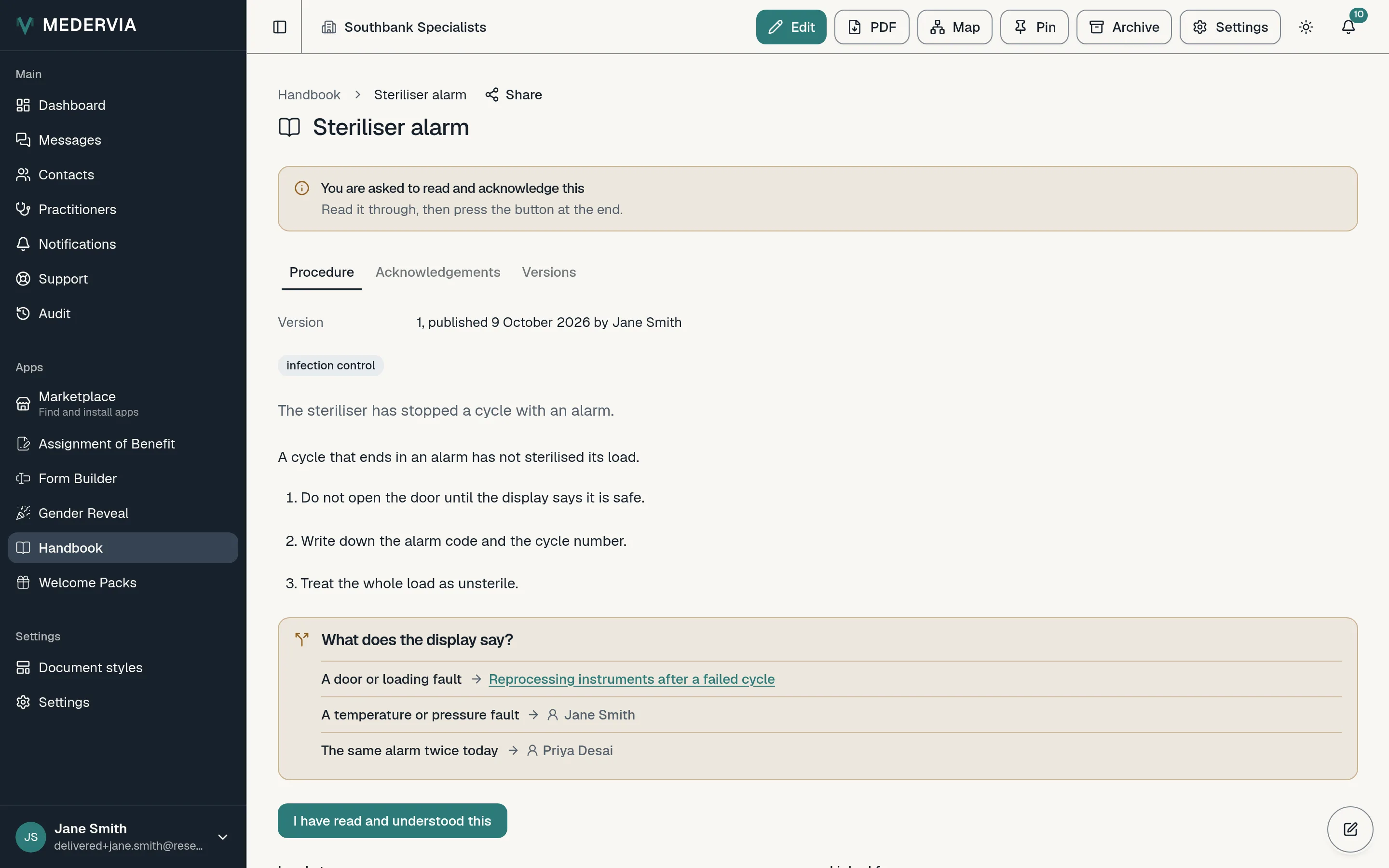
Press Publish. The procedure is now in force, and staff read this version from now on.
When you publish a change to a procedure people have already acknowledged, you are asked Does this change what staff must do? Choose yes for a changed step or rule, and everyone asked reads it again; choose no for a typo or a phone number, and their acknowledgements stand.
Good to know
- Every version is kept, with who acknowledged it, under the procedure's Versions tab.
- A draft you left is waiting on the Handbook page: press Show drafts, or open the procedure and press Edit.
- When a procedure is no longer in force, open it and press Archive. It leaves the list, nobody is asked about it, and it can be restored at any time.
- Press Pin at the top of a procedure to keep it under Pinned at the top of the list; Unpin takes it out.
Next
Still stuck? Open a ticket from Support in the app, or send us a message.