Guides · Welcome Packs
See where each welcome pack is up to
Follow each pack from delivered to complete, and send it again or withdraw it.
The list
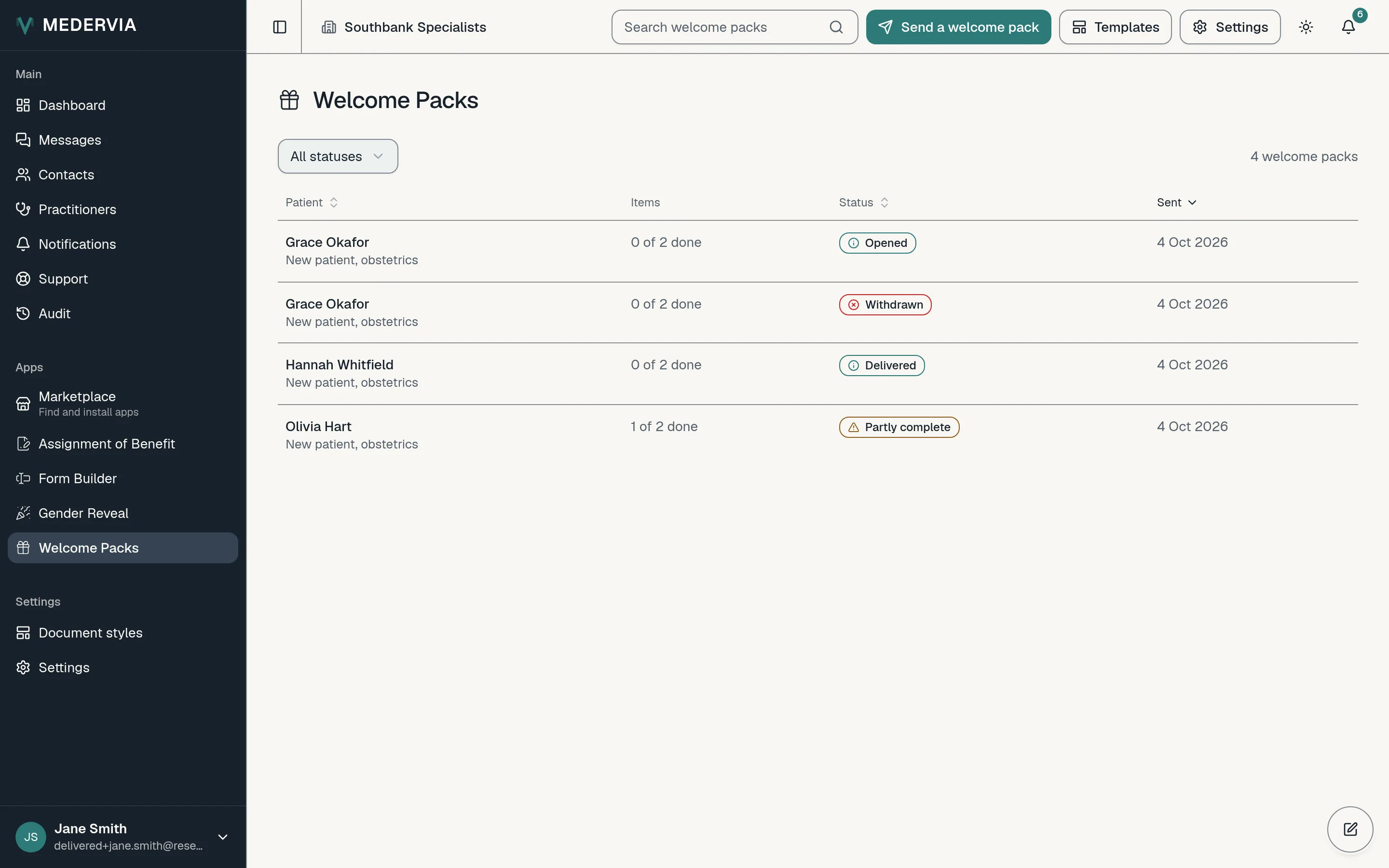
Welcome Packs lists every pack sent, with how many of its items are done and its status: Sent, Delivered, Opened, Partly complete or Complete. A pack whose email did not arrive reads Not delivered.
One pack
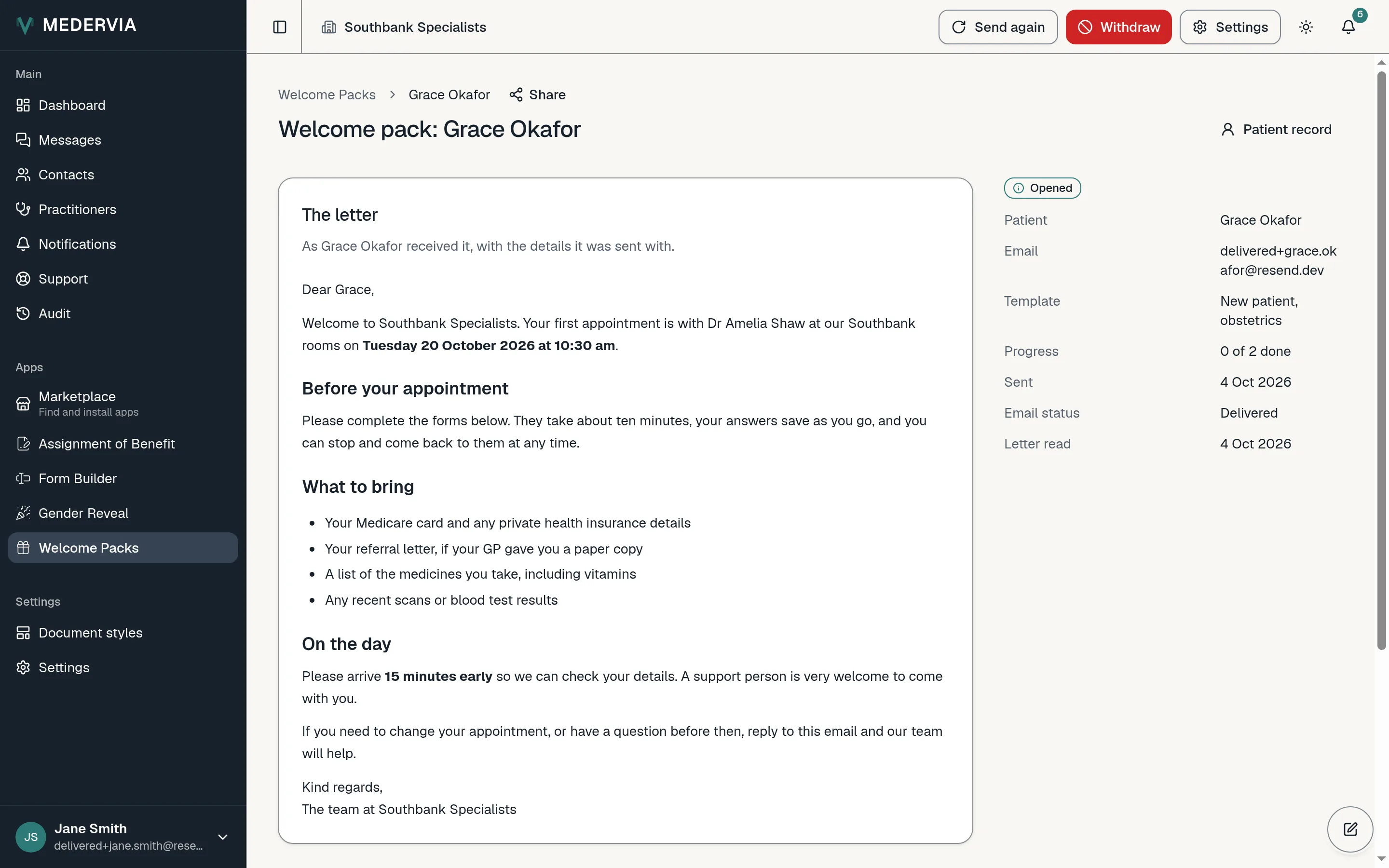
Open a pack to see the letter as it was sent and each item's progress. Each item is also a record in its own app, with its history and its PDF.
Press Send again for a fresh email and link, or Withdraw if the appointment changes.
What the patient sees
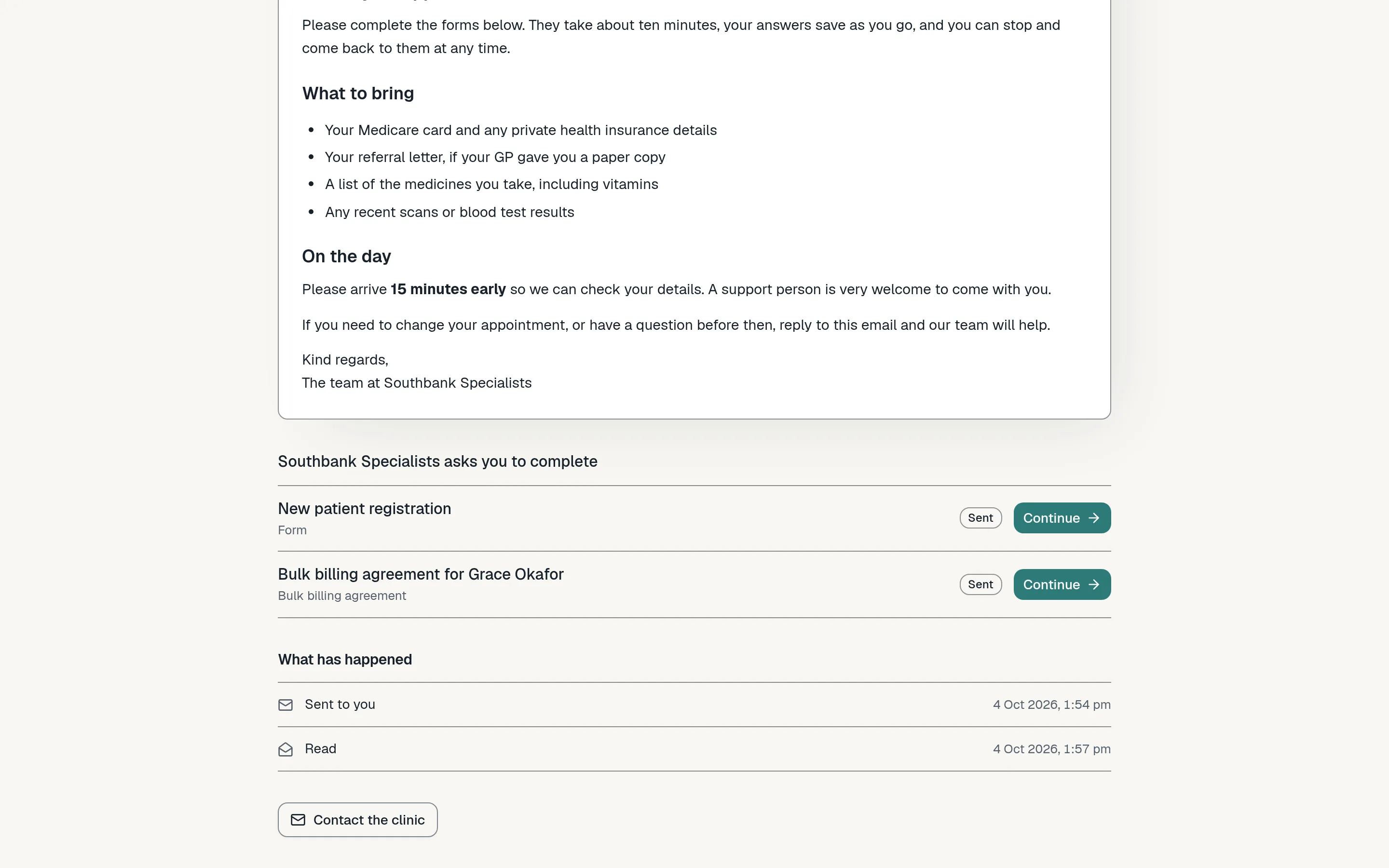
The patient opens the letter first, then works through each item, on a phone or a computer. When they finish one, they are offered the next.
Next
Still stuck? Open a ticket from Support in the app, or send us a message.