Guides · Assignment of Benefit
Follow up your agreements
See where each agreement is up to, re-send or withdraw one, and know when to follow up.
Check the list
The list shows every agreement and its status: sent, delivered, opened, accepted, declined, bounced, withdrawn or lapsed. Use the filters to narrow it by status, practitioner or date.
Open an agreement
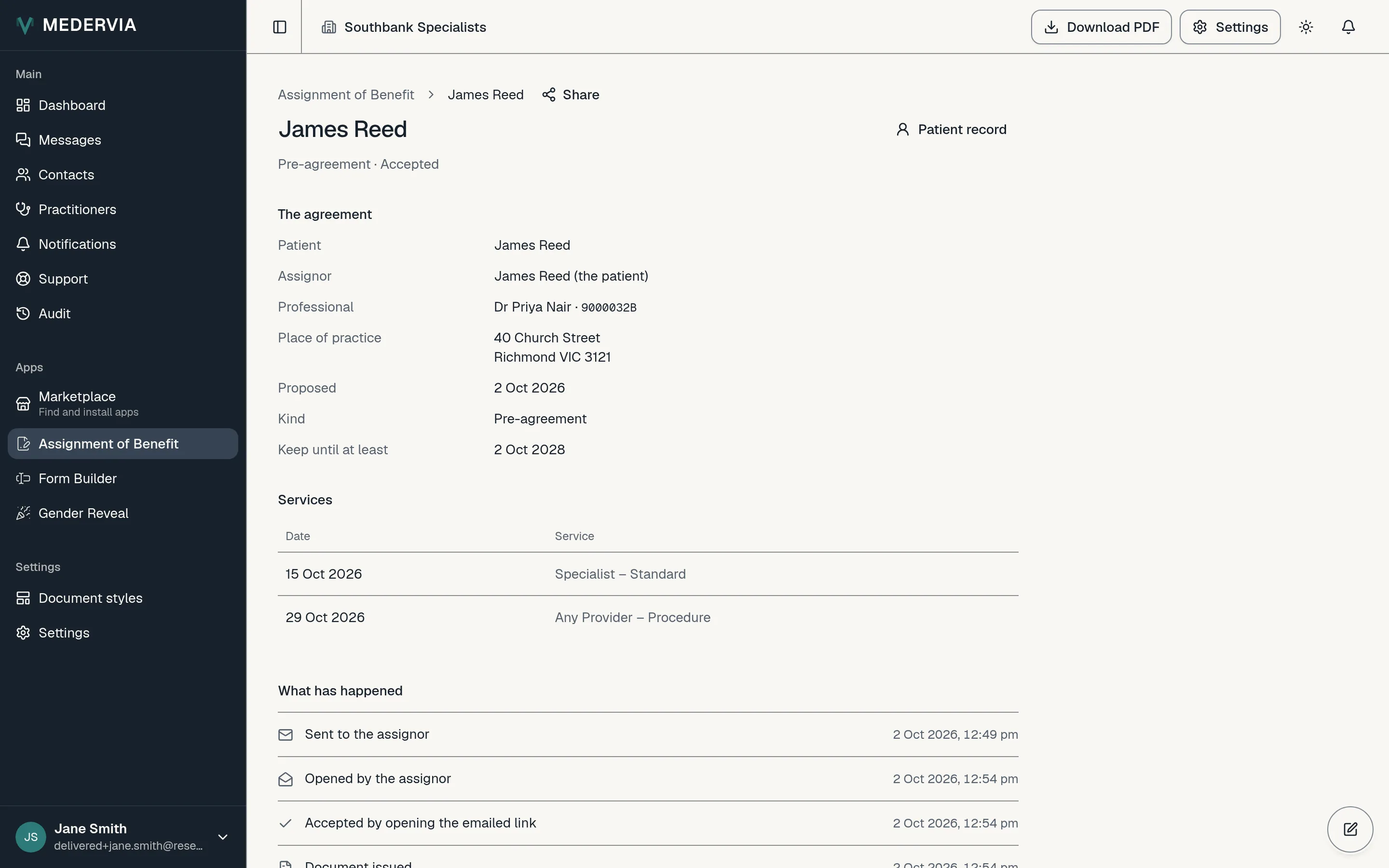
An agreement's page shows what was agreed, the services, everything that has happened to it, and who accepted it and when. Press Download PDF for the document.
Re-send or withdraw
While an agreement is still waiting, you can press Re-send to email the patient a fresh link, or Withdraw to cancel the request.
Good to know
- You get a notification when a patient opens, accepts or declines. If a request waits too long, you are reminded once; you choose how long in the app's Settings. The patient is never sent reminders.
Next
Still stuck? Open a ticket from Support in the app, or send us a message.