Guides · Form Builder
Prefill part of a form before you send it
Fill in the procedure, the site or the date yourself, so the recipient adds only what is missing and signs.
An owner or admin turns the setting on and publishes. Anyone who can send a form fills in the Prefill step.
Some forms are mostly known before they go: a consent for a named procedure on a set date, with the patient's part left to answer. Mark the form as prefilled by the clinic, and each send gets a step where you fill in your part first.
Turn the setting on
Open the form in the Library and open Form settings from the Actions menu. Under General, tick Prefilled by the clinic and save. New form offers the same box.
Like the form's signature, the setting is frozen with each published version, so press Publish for it to apply to new sends.
Medervia's own templates never have the setting; copy one into your library first.
Fill in your part when you send
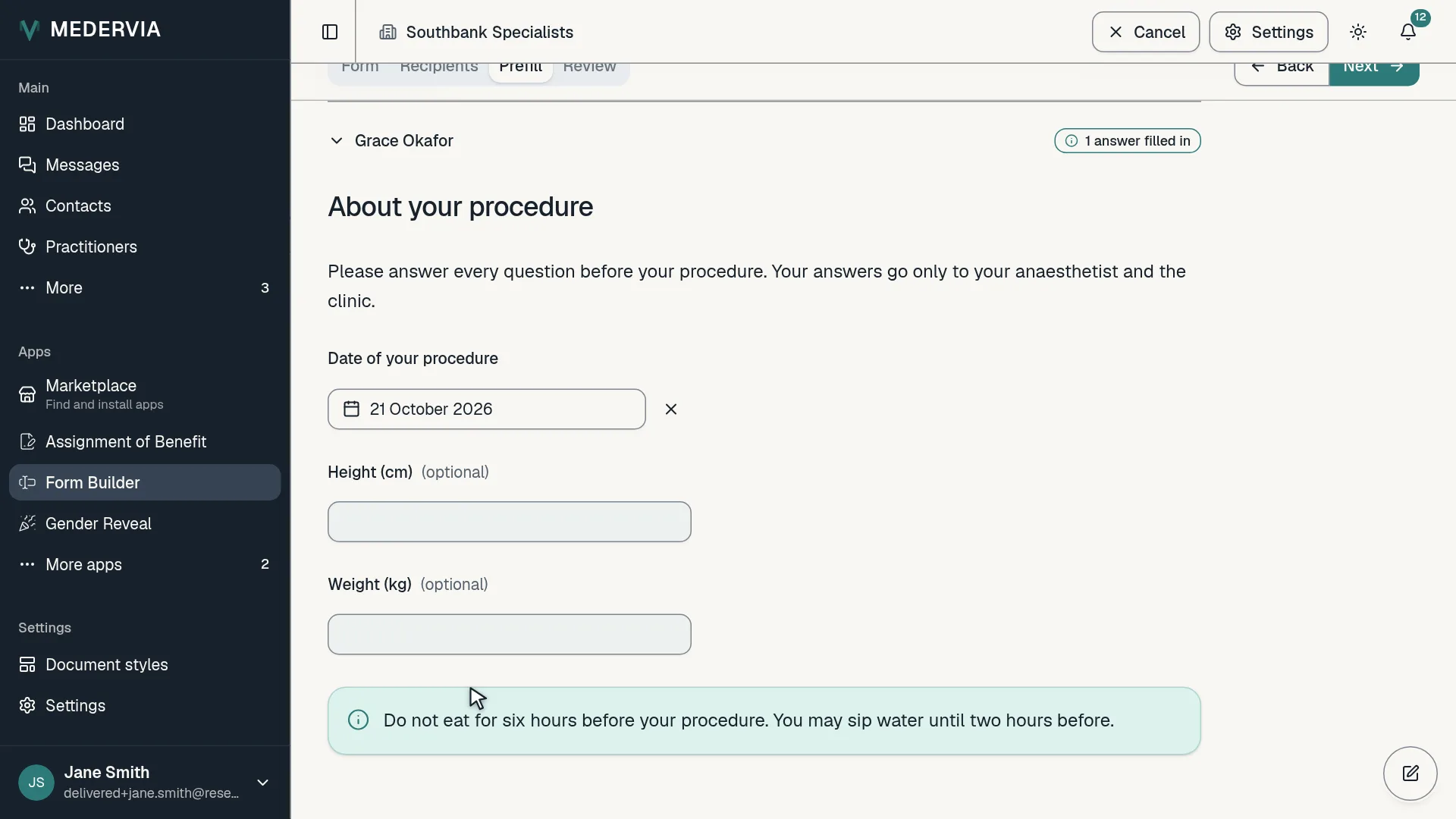
Send the form as usual. After Recipients, a Prefill step shows each recipient's form exactly as they will see it. Fill in what you know and leave the rest: nothing is required here, and whatever you leave empty is the recipient's to answer.
With several recipients, press Use for everyone on one recipient's form to copy its answers to the others, then change any that differ.
The recipient fills in the rest
Each answer you entered shows Entered by your name on their form and in their review, and they can't change it. They answer what is left, and sign if the form asks for a signature. Nobody on the clinic's side signs.
The PDF prints Entered by under each clinic answer.
Good to know
- A patient details block is always the patient's own, and a part marked for the practitioner is answered in the room; neither can be prefilled.
- A recipient who disagrees with something you entered can decline, or you can withdraw the form, correct it and send it again.
- A form in a welcome pack is sent empty, whatever the setting.
- The audit trail records that a send was prefilled and how many answers, never the answers themselves.
Next
Still stuck? Open a ticket from Support in the app, or send us a message.