Guides · Handbook
Set up a daily checklist
Write a list of steps one person ticks off on the days you choose, with a reminder, and see how often it was finished.
Owners, admins and Handbook editors write a checklist. Owners and admins assign it. The person assigned ticks it.
Opening checks, closing up, a new starter's first fortnight: a daily checklist is a procedure whose steps are ticked off, by one person, on the days you choose.
Write it
Press New procedure and under What it is choose Daily checklist. Add the steps, up to forty. A step can link to the procedure that explains it, so whoever is ticking can open it. Press Publish as you would for any procedure.
Give it to someone
Open the checklist and its Assignments tab, and press Assign to someone. Choose Who does it, the Days of the week, a Reminder time and, if you like, a Second reminder for when it is not finished.
Choose the Clock: a location's, or the clinic's own time. The times are on that location's clock, so 8 am in Perth is 8 am in Perth. Give it a date under Until if it is for a set time, such as a new starter's first two weeks.
Tick it off
The person opens Daily checklists on the Handbook page, where the day's list appears at its first reminder time, and ticks each step as it is done. The day is done when the last step is ticked; a day left unfinished is closed as missed early the next morning.
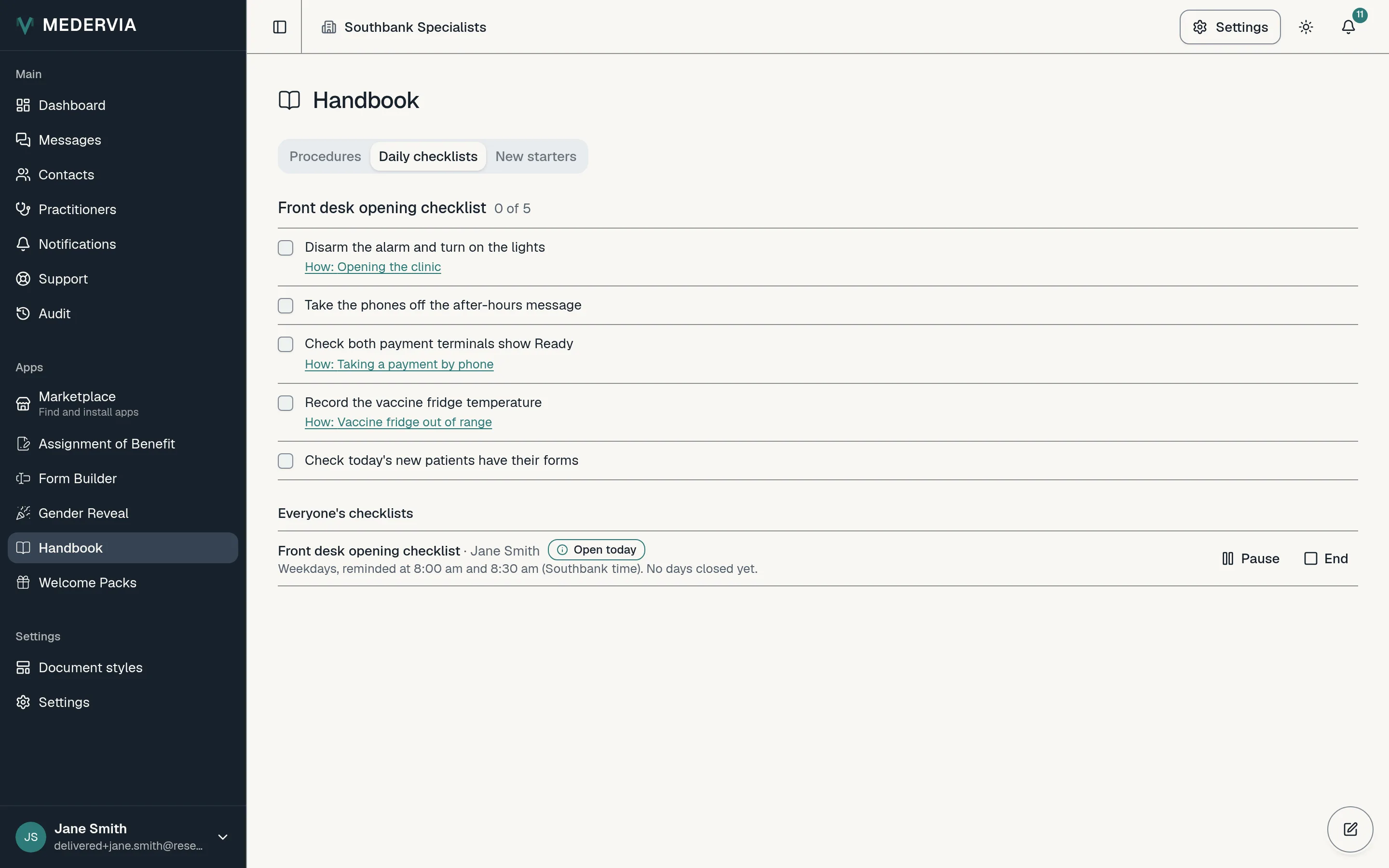
See how it is going
The Assignments tab, and Daily checklists for owners and admins, show each assignment with how many of the scheduled days were finished in the last 30. Press Pause while someone is on leave, Resume when they are back, and End when it is no longer needed.
Good to know
- Ticks are the person's own and are not written to the audit trail one by one: one entry records each day when it closes.
- Each day's record is kept for the number of months set under Keep daily checklist records (months), then destroyed with an entry on the destruction register.
- Every clinic's Handbook guide includes a first-week checklist. Assign it to yourself to try one.
Next
Still stuck? Open a ticket from Support in the app, or send us a message.