Guides · Form Builder
Send a form and read the answers
Send a published form to patients or colleagues, then read the answers and the PDF.
Choose the form
In Form Builder, press Send a form and choose one of your published forms.
Choose who it goes to
Add patients, people from your address book, or a new patient by their email address.
When you send a form to a colleague, you can say which patient it is about. The patient's details shown on the form come from your records.
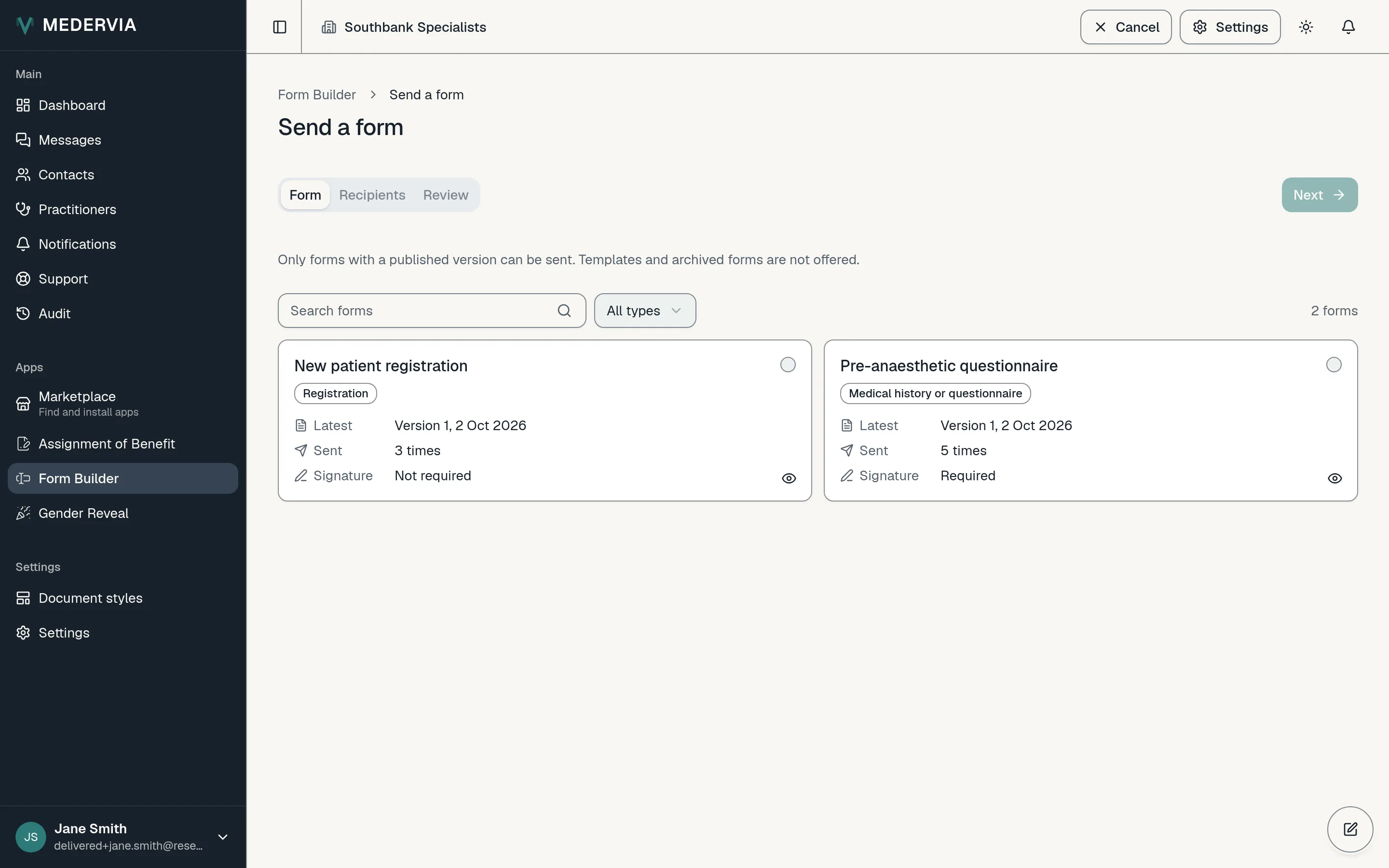
Check and send
Check that each recipient is ready to send, then press Send.
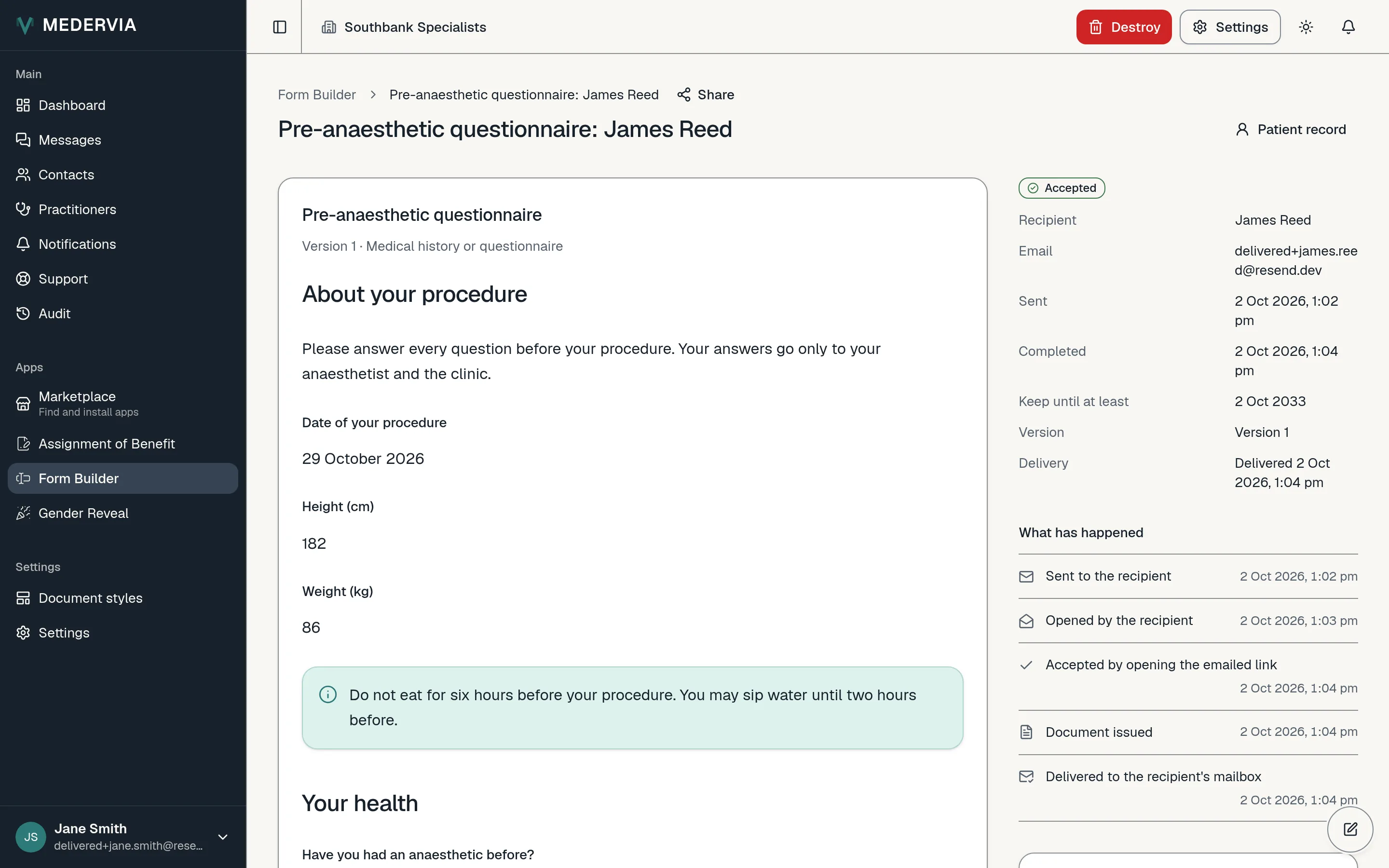
Read the answers
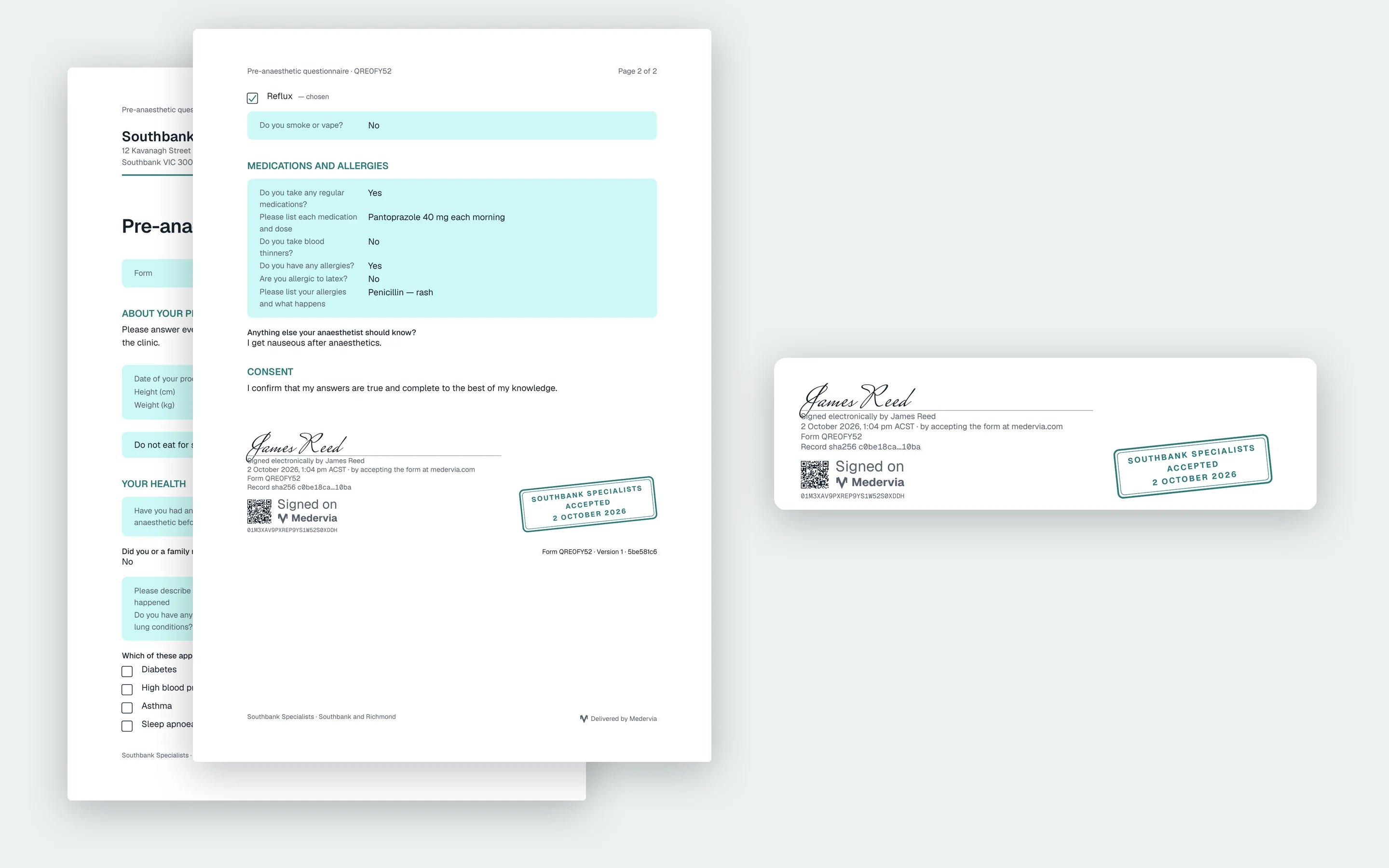
The list shows where each form is up to. Open one to read the answers or download the PDF. From the same page you can send it again, withdraw it, or try the PDF again if it did not come through.
Good to know
- Answers are saved as the person types, so they can stop and come back later. You and they both keep the PDF.
Next
Still stuck? Open a ticket from Support in the app, or send us a message.