Guides · Welcome Packs
Send a welcome pack
Send a new patient one email with your letter and everything to complete before their first visit.
Anyone in the clinic can send a welcome pack. An owner or admin keeps the templates.
A welcome pack is one email from your clinic with one link. Behind it are your letter, filled in with the patient's appointment, and the forms and bulk billing agreement you attach.
Start from a template
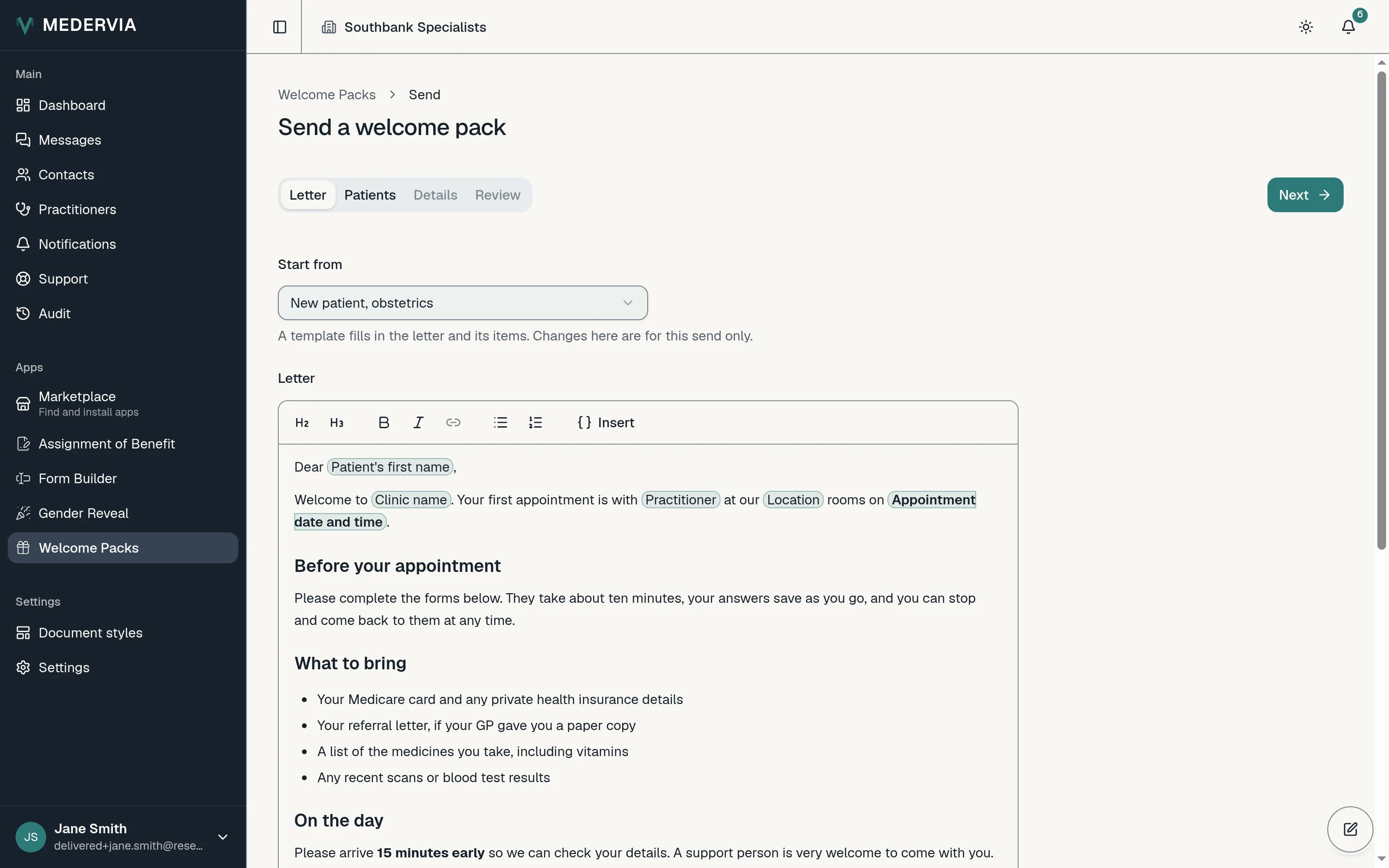
In Welcome Packs, press Send a welcome pack. Under Start from, choose one of your templates: it fills in the letter and the items that go with it.
You can change anything for this send only. The highlighted words in the letter are filled in for each patient when it is sent.
Check what goes with it
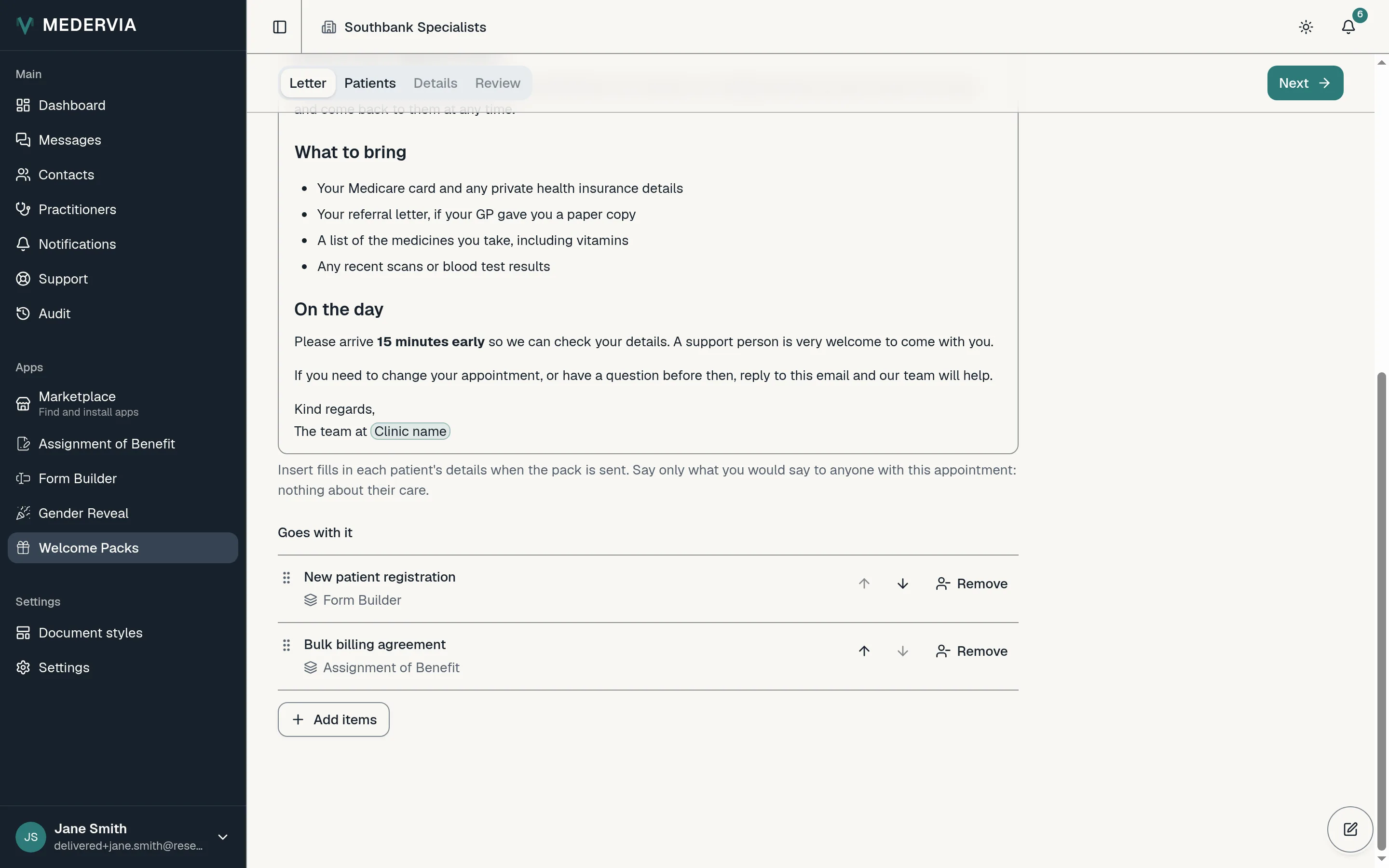
Under Goes with it are the forms and the agreement the pack carries. Press Add items to add another published form, or Remove to leave one out.
Choose the patients
Press Next, then Add patients, and tick each patient. Each of them gets a pack of their own, sent to the address on their record.
Add each patient's details
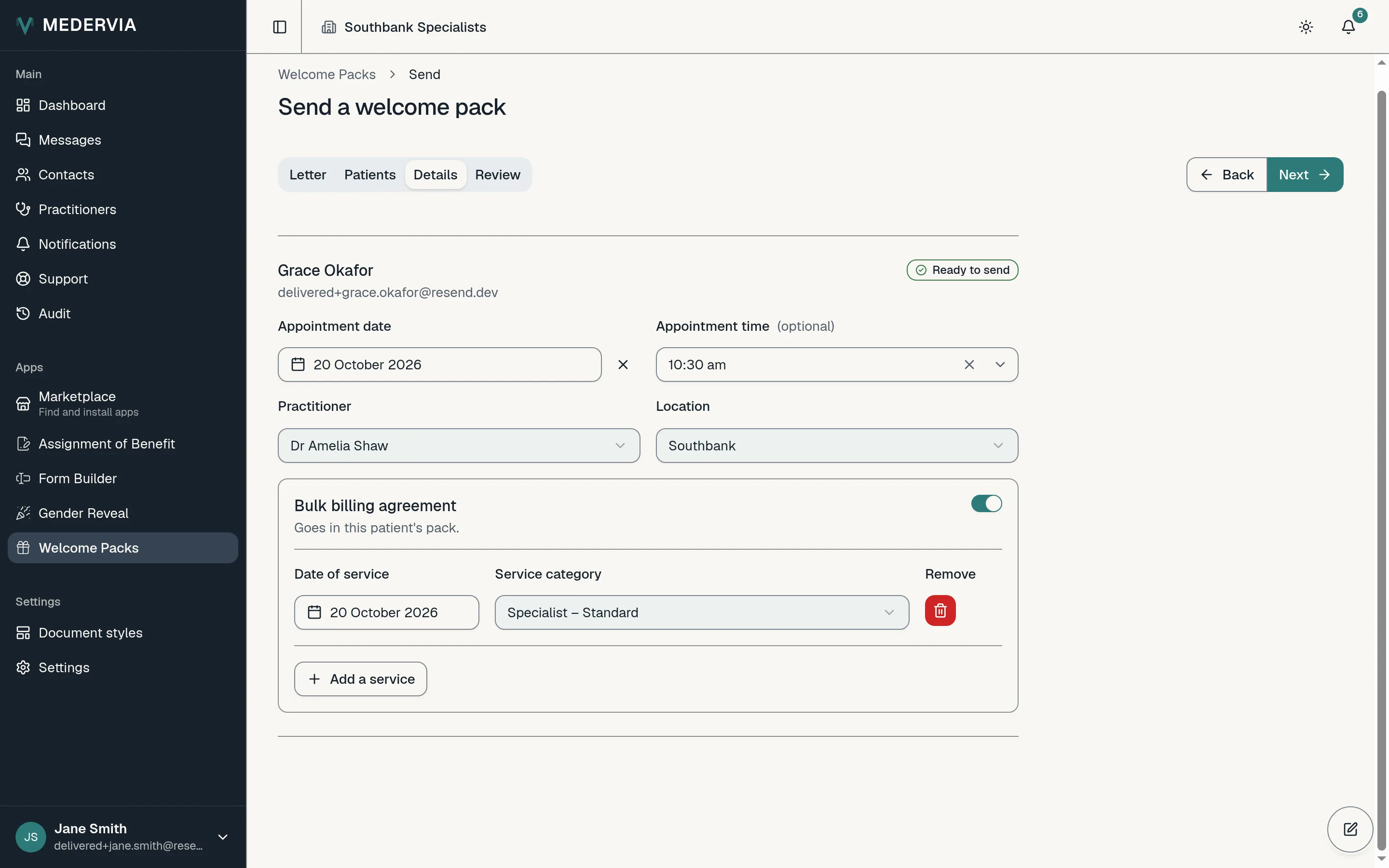
For each patient, choose the appointment date and type or pick the time. Choose the Practitioner first: only the locations where they hold a provider number are offered under Location.
A bulk billing agreement takes its date of service from the appointment. Add the service category, and anything still missing is listed at the top with a way to it.
You can switch an item off for one patient and send it on its own later.
Review and send
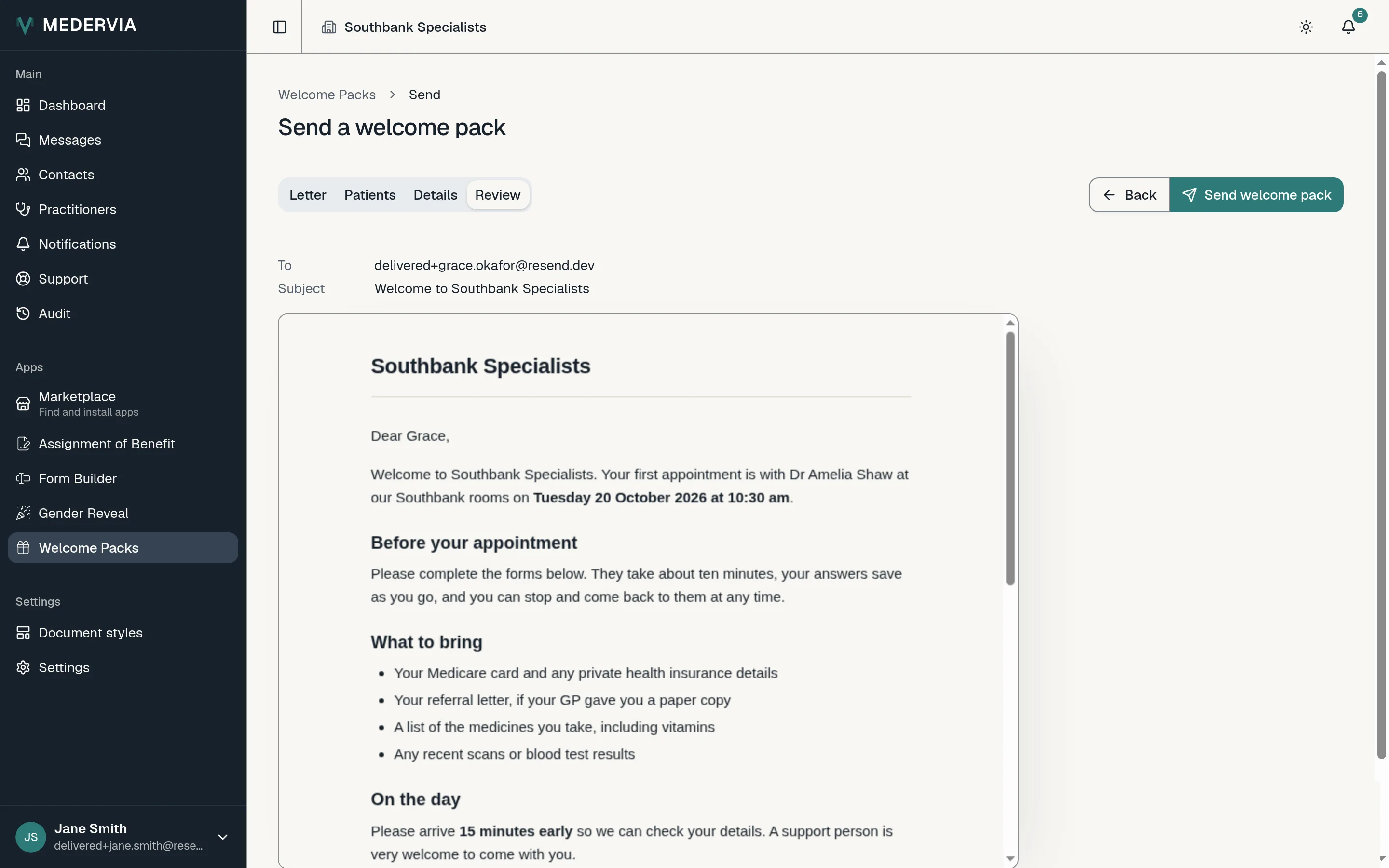
Press Next to see exactly what each patient will receive, letter and all. When it is right, press Send welcome pack.
Good to know
- The link in the email works for seven days. After that the patient signs in at medervia.com/portal with their email address and a code.
- A clinic sends at most 200 welcome packs a day, and at most three a day to the same address.
Next
Still stuck? Open a ticket from Support in the app, or send us a message.